¶ Degrees of Freedom
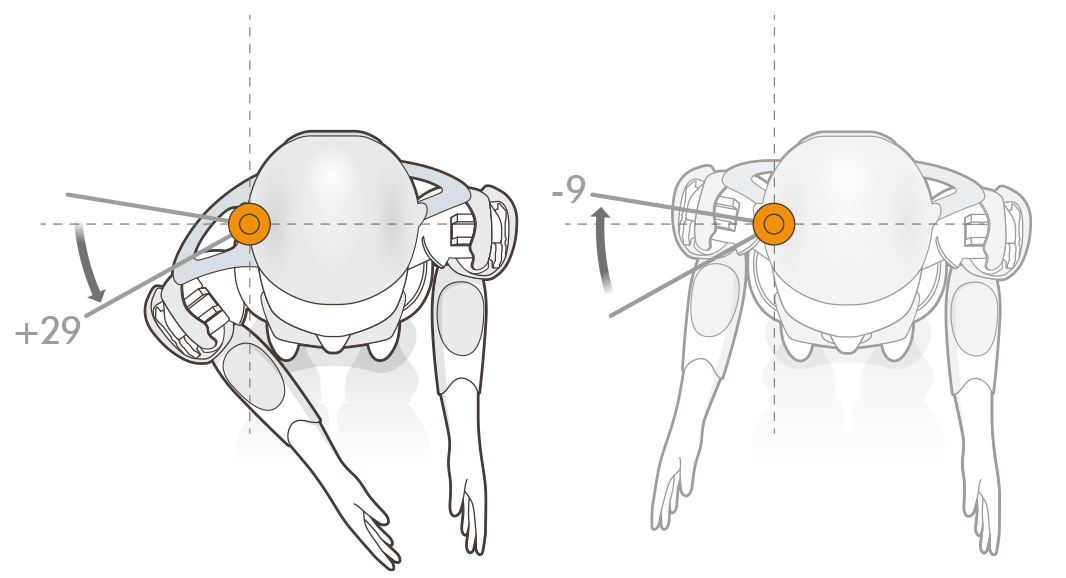
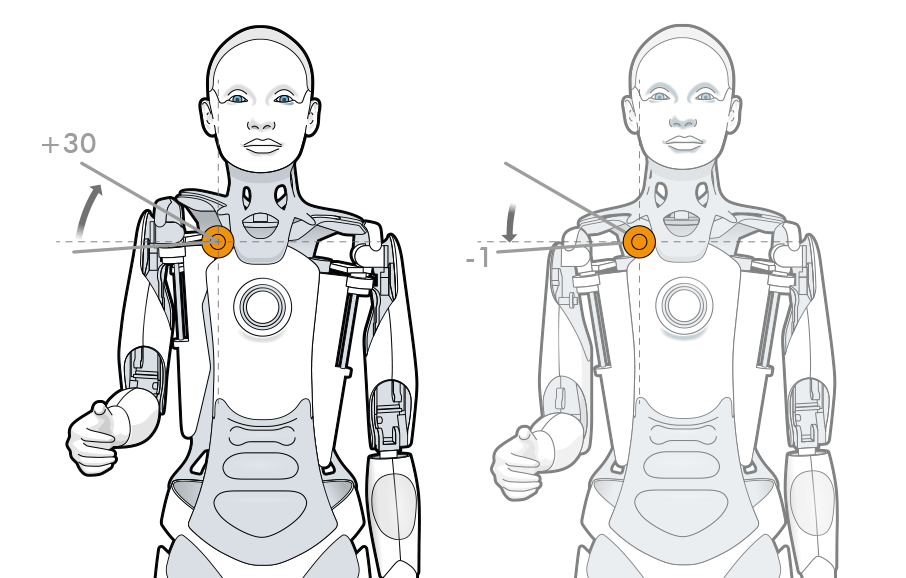
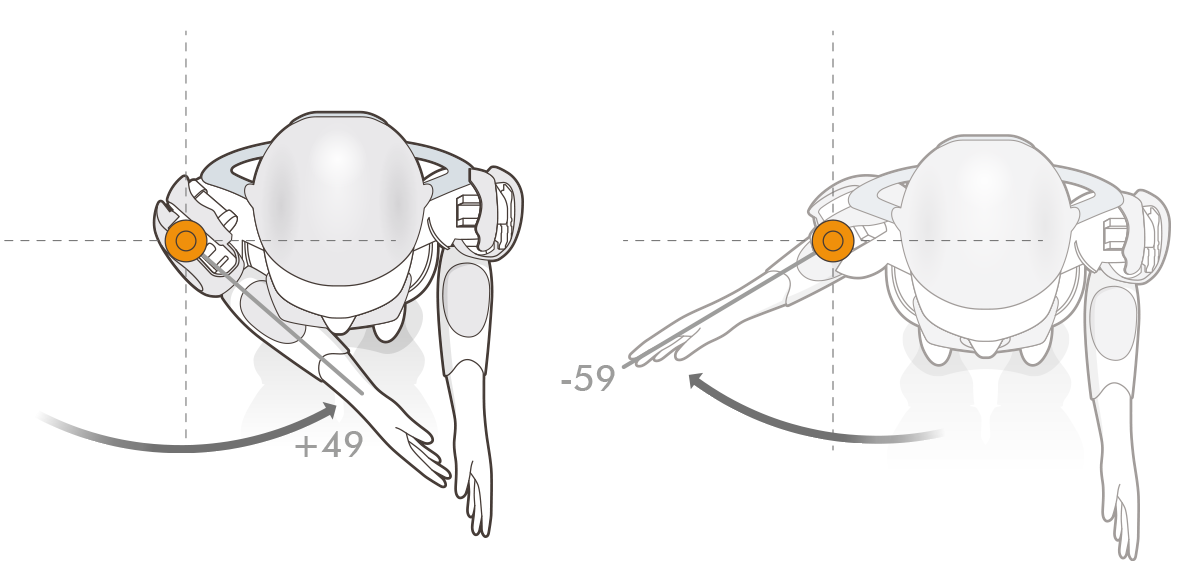
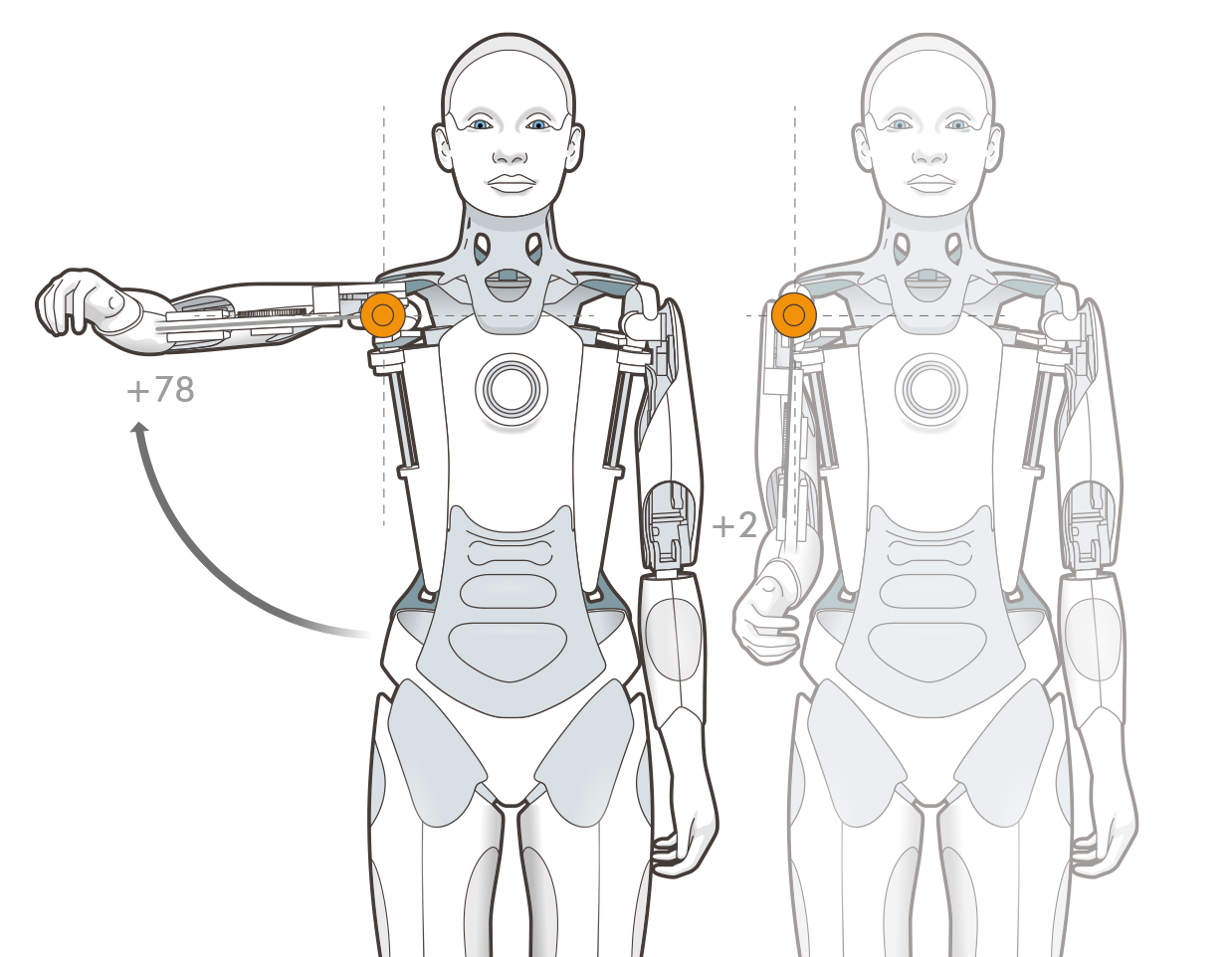
Each shoulder module has 4 degrees of freedom to allow natural movement. Namely:
- Clavicle Yaw (range -9° to +29°)
- Clavicle Roll (range -1° to +30°)
- Shoulder Yaw (range -59° to +49°)
- Shoulder Roll (range +2° to +78°)
¶ Ameca
¶ Control API
The actual position of the module can be accessed using controls.
Controls are accessed with the notation :
my_control = system.control(Control_name, Namespace, acquire = Parameters)
As there are two shoulders (left and right) this is represented in the notation.
Below is an example of finding the position of the left clavicle roll and then making it raise its left arm.
#get access to the control
left_shoulder_roll_control = system.control(
    "Shoulder Roll Left", "Mesmer Arms 1", acquire=["demand","position"]
)

class Activity:
    def on_start(self):
    	#find the shoulder roll
      current_shoulder_roll = left_shoulder_roll_control.position
      print(current_shoulder_roll)
    	#raise the shoulder
    	left_shoulder_roll_control.demand = 60
The on_tick method can be used for more powerful, time varying demands.
A more complete tutorial on controls is given here.
¶ Control parameters:
| Control name | Namespace | Avaliable parameters |
|---|---|---|
"Clavicle Roll Left" |
"Mesmer Arms 1" |
["demand","position","min","max"] |
"Clavicle Yaw Left" |
"Mesmer Arms 1" |
["demand","position","min","max"] |
"Shoulder Roll Left" |
"Mesmer Arms 1" |
["demand","position","min","max"] |
"Shoulder Yaw Left" |
"Mesmer Arms 1" |
["demand","position","min","max"] |
"Clavicle Roll Right" |
"Mesmer Arms 1" |
["demand","position","min","max"] |
"Clavicle Yaw Right" |
"Mesmer Arms 1" |
["demand","position","min","max"] |
"Shoulder Roll Right" |
"Mesmer Arms 1" |
["demand","position","min","max"] |
"Shoulder Yaw Right" |
"Mesmer Arms 1" |
["demand","position","min","max"] |
The control_name, namespace and avaliable parameters for each control is given in the control section of the scripts page in Tritium UI, this gives more information about datatypes and access rights.