¶ Degrees of Freedom
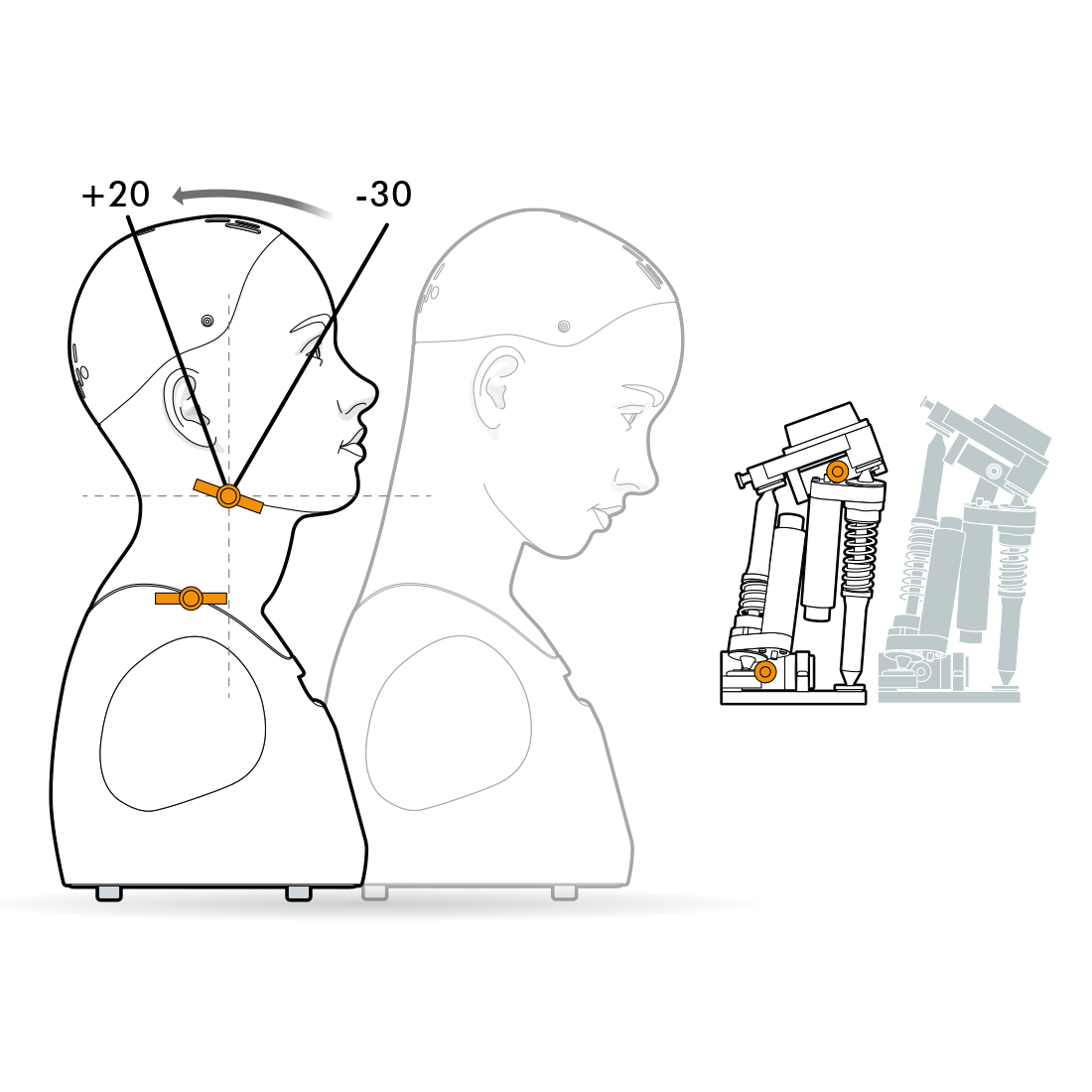
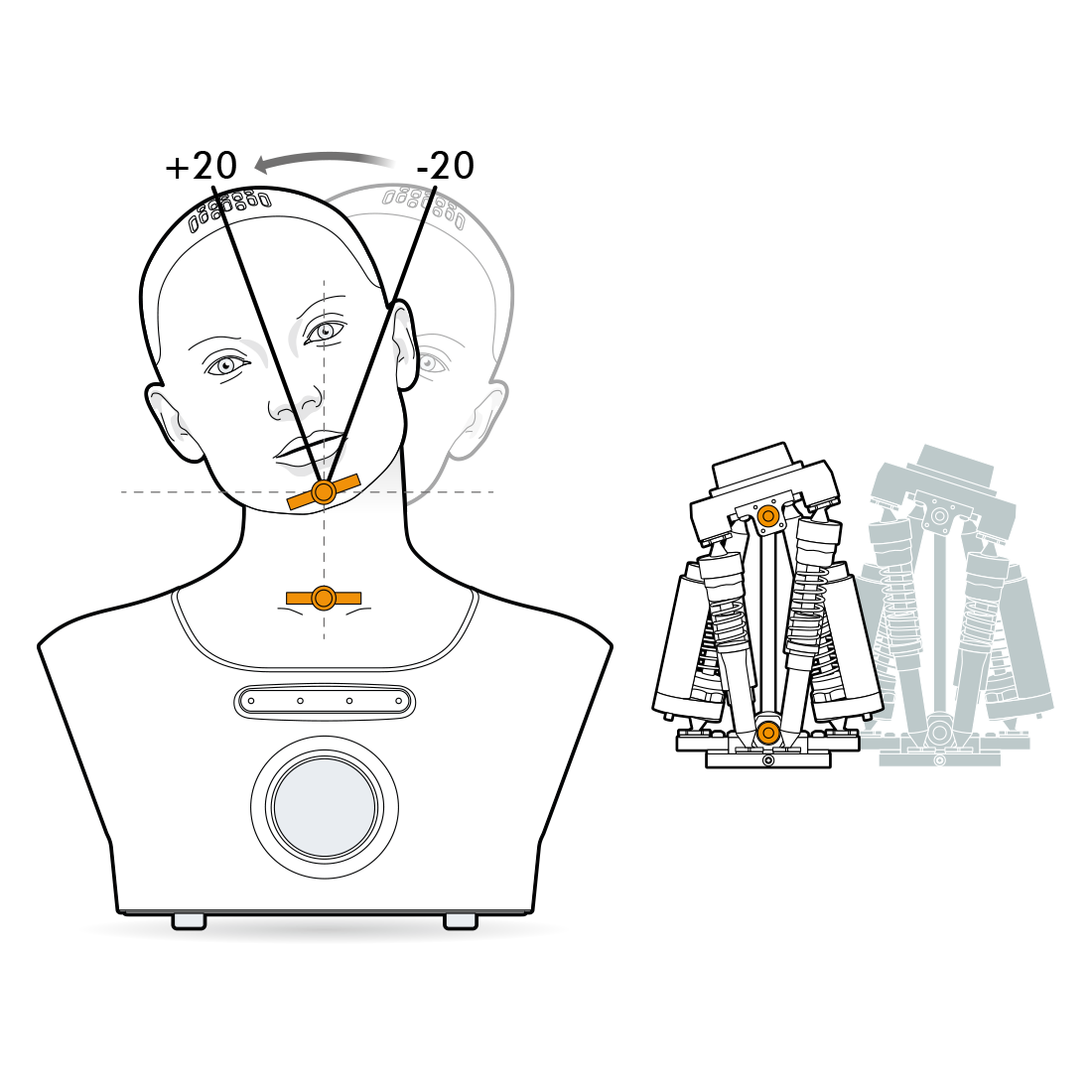
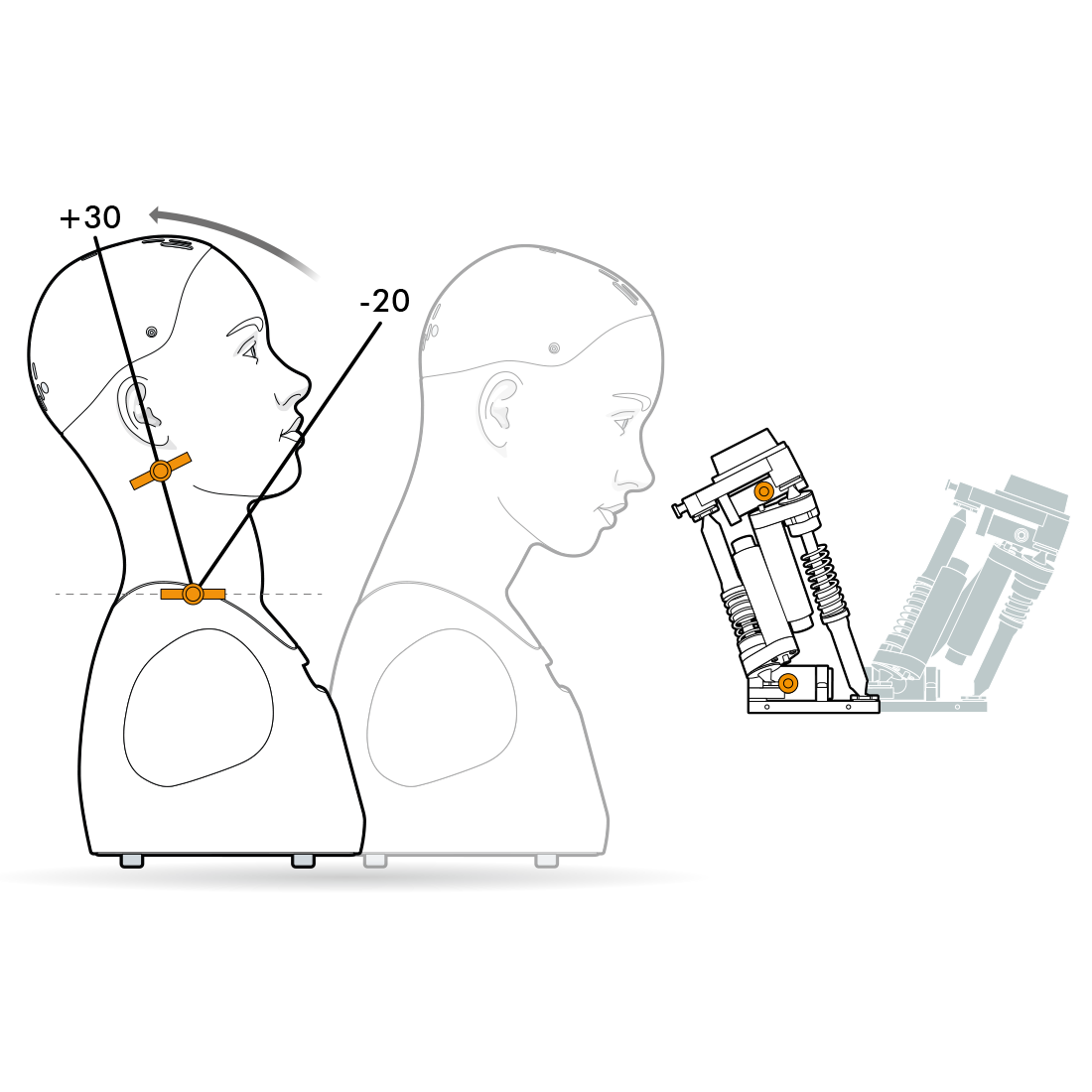
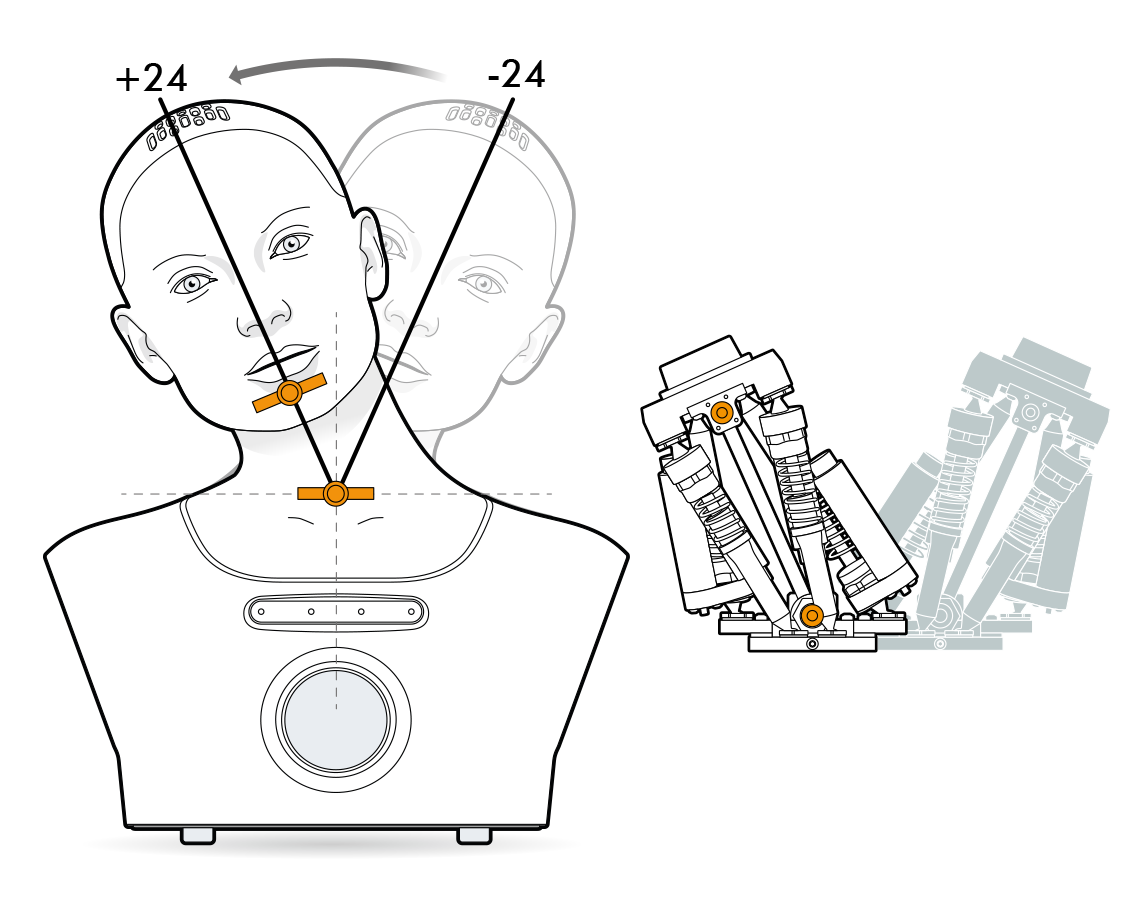
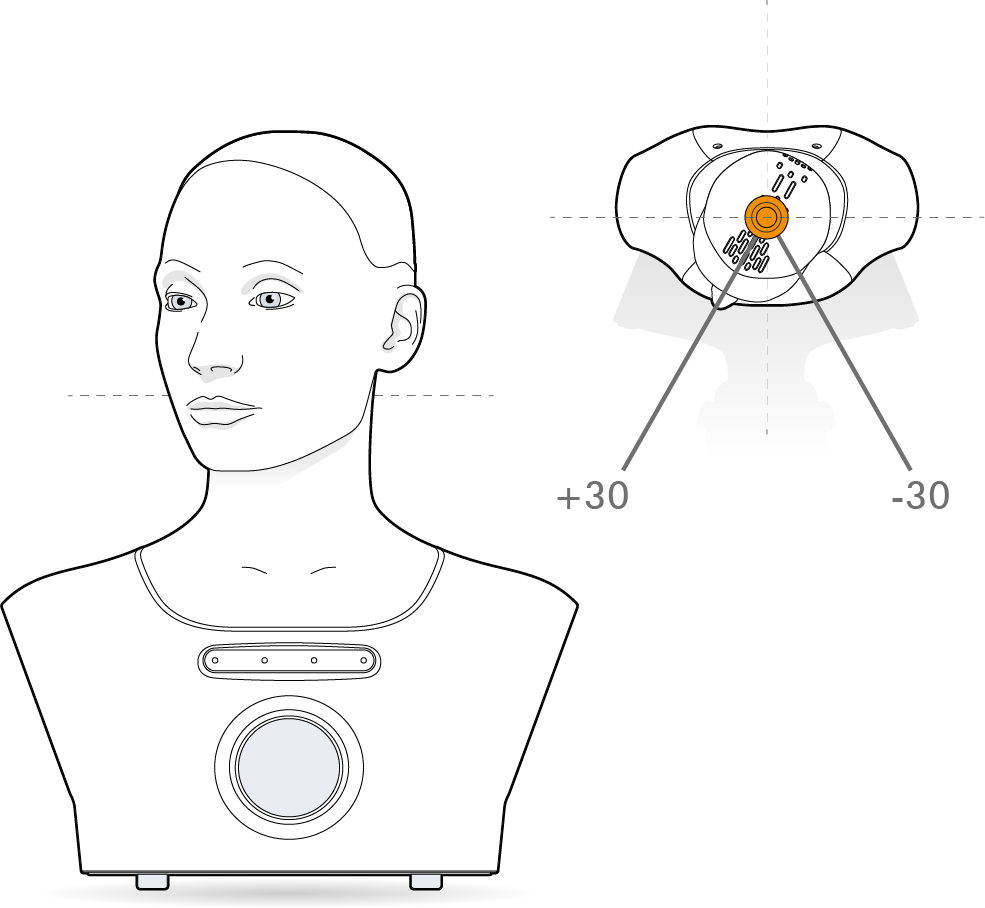
The neck has 5 degrees of freedom. 4 of these degrees of freedom are actuated in parallel, with one that operates independently of the other 4.
Neck Range Limis
The four axes of the neck are controlled by a set of four actuators working in parallel. As a result, not all values within the stated ranges can be accessed in combination with all other values.For example, you cannot reach the full extent of the neck pitch axis while the head pitch is set to zero; the head pitch must be at a positive value to reach full negative neck pitch, or at a negative value to reach full positive neck pitch.
Such limits always occur towards the exremes of the ranges, where the movements would look unrealistic in a human neck in any case.
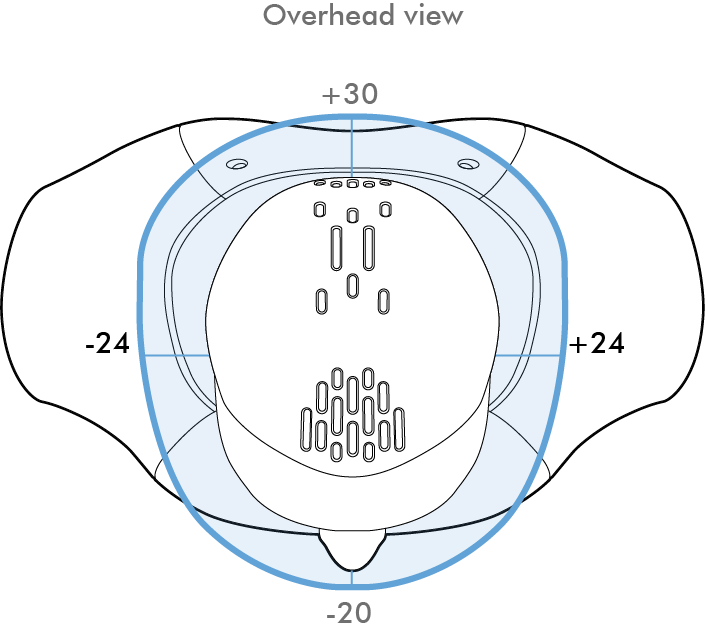
The 4 parallel degrees of freedom in Neck Module v6 are:
- head pitch (range: -30° to +20°)
- head roll (range: -20° to +20°)
- neck pitch (range: -20° to +30°)
- neck roll (range: -24° to +24°)
The 5th, independant axis is:
- head yaw (range: -30° to +30°)
¶ Control API
The actual position of the module can be accessed using controls.
Controls are accessed with the notation :
my_control = system.control(Control_name, Namespace, acquire = Parameters)
Below is an example of finding the position of the head yaw and then making it face left.
#get access to the control
head_yaw_control = system.control(
    "Head Yaw", "Mesmer Neck 1", acquire=["demand","position"]
)

class Activity:
    def on_start(self):
    	#find the head yaw
      current_head_yaw = head_yaw_control.position
      print(current_head_yaw)
    	#make the head face the left
    	head_yaw_control.demand = -20
The on_tick method can be used for more powerful, time varying demands.
A more complete tutorial on controls is given here.
¶ Control parameters:
Because "Head Yaw" is independant of the other 4 motors in the module it has the aditional "enable" and "status" parameters.
| Control name | Namespace | Avaliable parameters |
|---|---|---|
"Head Pitch" |
"Mesmer Neck 1" |
["demand","position","min","max"] |
"Head Roll" |
"Mesmer Neck 1" |
["demand","position","min","max"] |
"Head Yaw" |
"Mesmer Neck 1" |
["demand","position","min","max","enable","status"] |
"Neck Pitch" |
"Mesmer Neck 1" |
["demand","position","min","max"] |
"Neck Roll" |
"Mesmer Neck 1" |
["demand","position","min","max"] |
The control_name, namespace and avaliable parameters for each control is given in the control section of the scripts page in Tritium UI, this gives more information about datatypes and access rights.