The robots page is the main hub of the UI and is where you can monitor all the robots that you have access to.
¶ Robot tree
The robot tree is on the left of the robots page, and lets you connect to your robots.

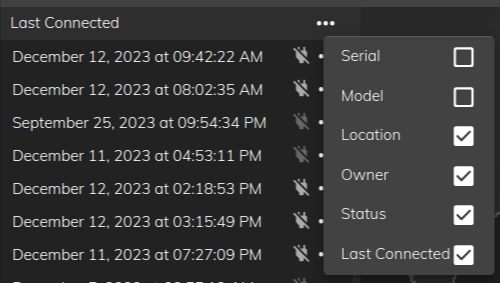
- On the tree, you'll see a list of your robots along with relevant information such as Location, Owner, Online status, and when it was Last Connected to.
- Robots that are not online have their name greyed out in the Name column e.g. ac-0006 and ac-0012 in the image above
- You can customise what information appears. Click on the 3 dots in the top right of the table:
¶ Robot map
The robot map is in the upper right of the robots page.
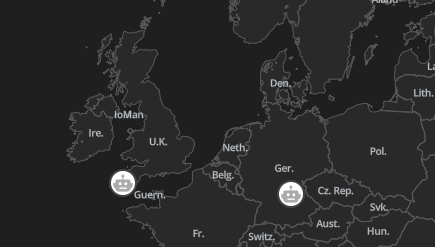
- The map displays the locations of your robots.
¶ Robot information
The robot information such as model type, serial number, owner, location and discription is in the lower right of the robots page.
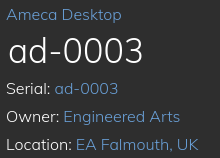
- The robot information section allows you to edit the name and description of the robot.
¶ Assign an agent
Assign which Agent powers this robot's conversations from Robot information when a robot is selected in the tree.
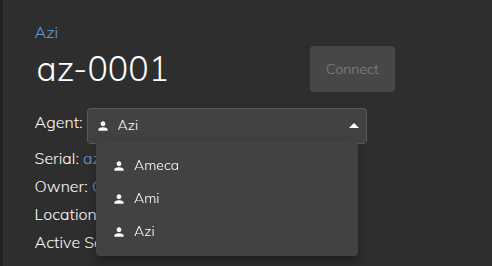
To assign one agent to many robots at once, use bulk assign on the Agents interface homepage.
¶ How to connect to a robot?
Robots that are online are indicated by white text for their name. You can connect to a robot in a number of ways:
- Double click one of the online robots in the tree on the left
- Right click one of the robots and select connect from the dropdown
- Click the 3 dots at the right of the robot, select connect from the menu
- Click once on the robot to select, then click one of the Connect buttons (top right of the map, or top left on the toolbar)
¶ My robot is not in the list, what should I do?
If your list of robots is empty or the particular robot you are trying to access is not listed please contact us.
¶ How do I know if I am connected to a robot?
-
The green connection symbol
 next to the robot in the tree
 -
The robot head
 in the toolbar in the top right will turn green and show the robots name when hovered over with a mouse
 -
The robot name will appear in the address bar when you view a different app