Applies to: Mesmer Desktop Gen 2 and full-size Mesmer robots (USB external audio workflow). For Mesmer Desktop Gen 3 (3.5 mm jack and docking station), see External Audio Devices — Desktop Gen 3.
For installations in busy, noisy locations — for example a public exhibit where visitors stand behind a barrier — you may need external audio inputs or outputs so the robot can hear and be heard clearly.
For day-to-day audio levels and device selection, use the System > Audio tab. For script setup, echo cancellation, and PulseAudio troubleshooting, see External audio setup (developer).
¶ USB audio — all Gen 2 robots
¶ Audio interface
We typically recommend the Behringer UMC202HD USB audio interface.
- Desktop robots — connect directly to the NUC.
- Full-size robots — connect through the USB port in the leg.
After connecting the interface, start the Behringer monitor script and set the correct input and output as defaults in System > Audio. Step-by-step script and device names are in the developer external audio guide.
If you do not have the required scripts on your robot, contact us via Report a Problem.
¶ External microphone
Robots support class-compliant USB microphones. Non-compliant devices may not work reliably. A common use case is a wireless lavalier mic when the robot talks to one person in a noisy space.
Echo cancellation for standalone external mics requires a System > Audio script — see Echo cancellation.
¶ Neewer CM28 usage notes
The Neewer CM28 wireless lavalier is commonly used for its form factor and availability.
- Adjusting volume — The mic volume slider in Tritium UI may not work (device is not fully class-compliant). Instead:
- Use the db button on the receiver (volume is shown on the receiver display), or
- Use the outputstream volume slider in Tritium UI (adjusts the stream into speech recognition).
- Noise suppression — Disable the transmitter's built-in noise suppression for better speech recognition. Bottom LED on the transmitter: blue = on, off = disabled. Toggle with a press on the yellow set button.
¶ Troubleshooting
If audio devices are missing or unresponsive, try restarting PulseAudio via the System > Audio > Restart Pulseaudio.py script. See developer troubleshooting.
¶ Desktop Gen 2 audio
¶ Output
A 3.5 mm line-level output is on the rear panel, intended for an amplifier or powered speakers — not headphones.
The built-in speaker is muted when the jack is connected. To change that behaviour, see Jack muting in the developer guide.
¶ Input
Desktop robots have no native audio input. Use a USB microphone or audio interface — see above.
¶ Beamforming microphone
Many Mesmer robots include an integrated beamforming microphone array on the chest, using small MEMS microphones (typically four in a horizontal line).
Typical capabilities:
- Acoustic echo cancellation (AEC) — reduces the robot's own voice in the mic input
- Direction of arrival (DoA) — estimates where sound is coming from
- Beam direction / width — narrows or widens the sensitive area (default beam width 180°)
- Voice activity detection (VAD) — hardware-level voice detection; see Speech Recognition for pipeline detail
¶ Hardware models
¶ XMOS XVF 3500
Based on the XMOS Vocal Fusion 3500 processor. Parameters can be adjusted in Devices in Tritium UI.
¶ XMOS XVF 3800
Successor to the XVF 3500 with multiple beams and other improvements.
¶ External beamforming microphone
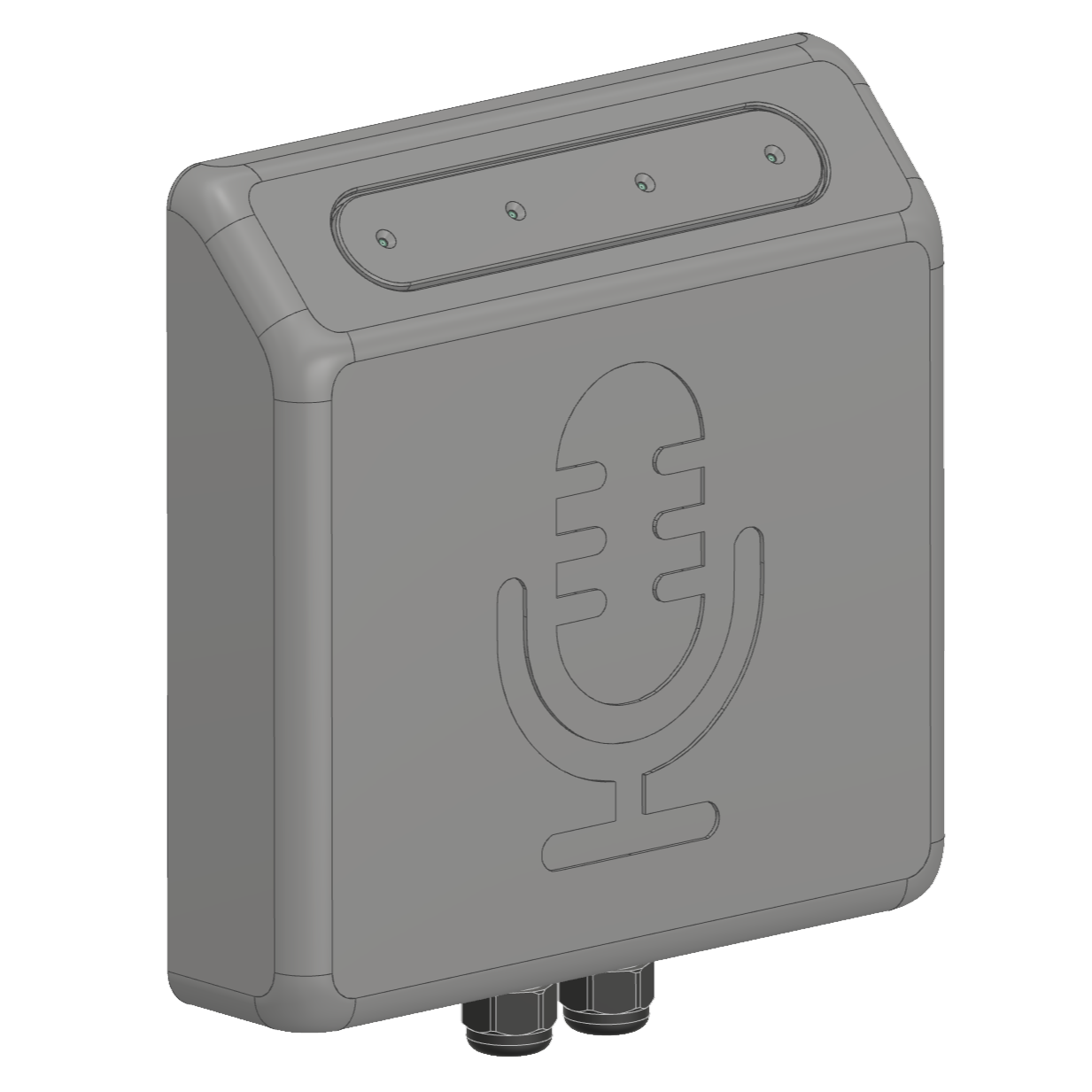
Some installations use a remote microphone unit — the same chest electronics in a separate box mounted closer to visitors (for example on a barrier rail). It connects to the robot via USB plus a power/speaker cable.
Mounting height is typically 1–1.25 m. Unit size is approximately 170 × 170 × 40 mm, with VESA 100 mounting (four M4 holes on 100 mm spacing).
Visitors do not need to lean into the unit; natural conversation at a normal distance is sufficient.