¶ Docking Station Installation and Operating Instructions
Product Code: DS1
Important: Before using this user manual or operating the docking station, ensure that you have read and understood the accompanying compliance leaflet, which contains important regulatory, safety, and legal information.
Legal and Compliance Leaflet
Read the Mesmer Desktop Gen 3 Docking Station — Legal and Compliance Leaflet before installation or operation.
¶ Introduction
Thank you for selecting the Engineered Arts Mesmer Robot Docking Station accessory. This manual covers installation and operation of the Docking Station accessory, which is designed exclusively for use with an Engineered Arts Mesmer Desktop Robot. The Docking Station is not intended to support any object or provide power or data connectivity to any device other than the Engineered Arts Mesmer Desktop Robot.
¶ Box Contents
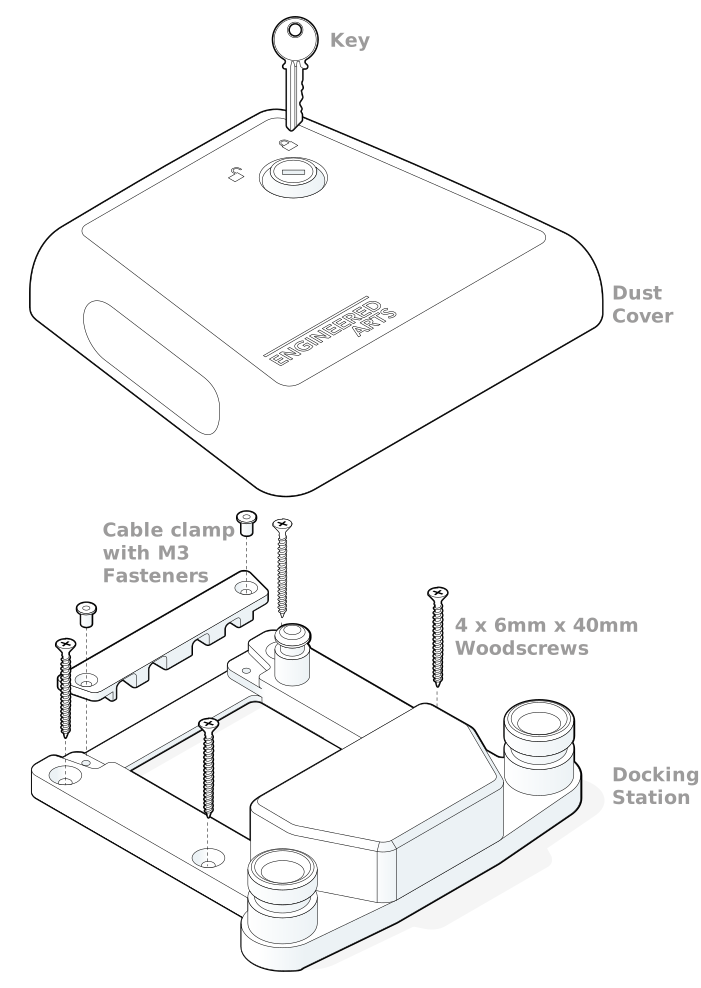
¶ About this Document
¶ Intended Audience
This document is intended for owners and operators of the Docking Station. The manual is an essential part of the Docking Station documentation, and all users must fully familiarise themselves with its contents prior to operation. Installation and operation activities must only be undertaken by persons who meet the following criteria:
i) Have read about and fully understood the procedures outlined in this documentation; AND
ii) Are confident and capable of undertaking these activities based on their own skills and experience.
¶ Applicable Models
This user manual applies specifically to the Docking Station with the product code DS1.
¶ Symbols and Markings
The following markings are used throughout the documentation. Users must take special care to read and follow all such instructions.
 | Danger Message Failure to follow instructions endangers the life and health of persons |
 | Warning Message Failure to follow instructions could result in serious injury or risk to life and health to persons |
 | Caution Message Failure to follow instruction may lead to injury to persons |
¶ Safety Instructions
General regulatory and product safety information is in the compliance leaflet. The following warnings apply specifically to installation and operation procedures in this manual.
| Finger/hand Pinch Hazard Take great care when installing and removing the robot from the Docking Station. |
¶ Safe Use
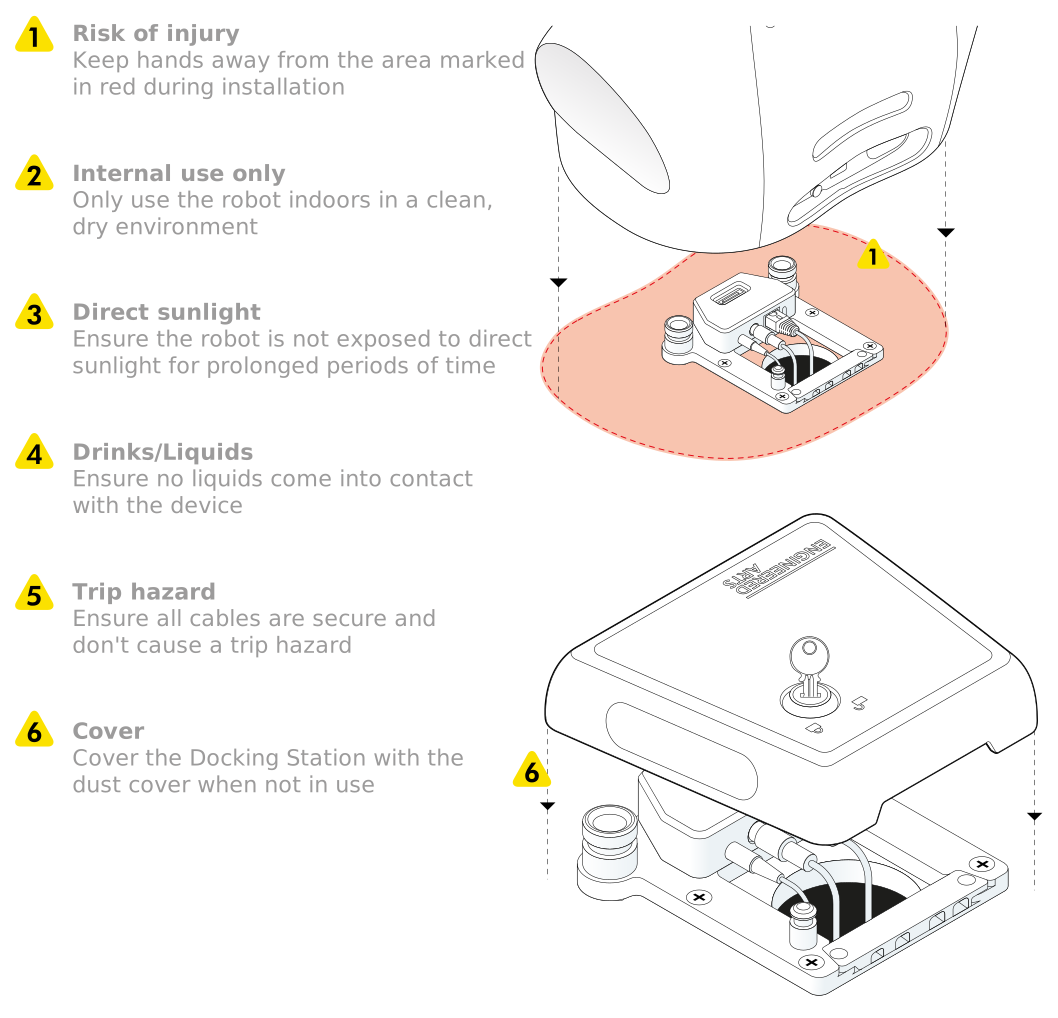
¶ Intended Use and Limitations
¶ Intended Use
- The Docking Station is designed exclusively to be used with Engineered Arts Mesmer Desktop robots.
- All the intended uses specified within the Mesmer Desktop Installation and Operating Instructions apply to the Docking Station.
¶ Limitation of Intended Use
- All the limitations of intended uses specified within the Mesmer Desktop Installation and Operating Instructions apply to the Docking Station.
¶ Operating Environment
The Docking Station is suitable for indoor use only. Recommended environmental conditions:
 | Room temperature: 10-30°C (50-86°F) |
 | Humidity: 45-60% |
- The Docking Station must not be used, stored, or transported in wet environments where it may be exposed to leaks, splashes, or other sources of liquid contamination (e.g., near swimming facilities or ornamental water features).
- The Docking Station must not be used, stored, or transported in environments with excessive dust or particulate contamination (e.g., machine workshops or construction environments).
- The Docking Station must not be operated in an explosive atmosphere.
¶ Docking Station Specifications
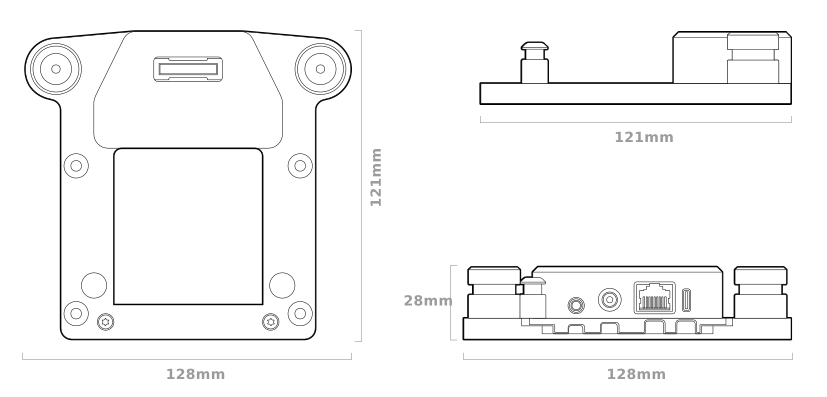
| Feature | Specification |
|---|---|
| Electrical Specification | |
| Robot Supply | 24 Vdc, 200W |
| External PSU (supplied with robot) | External PSU 100-240 VAC 50-60Hz |
| Connectivity | |
| Wired | Ethernet RJ45 |
| Audio | 3.5mm Audio in/out |
| Service only | USB-C |
¶ Installation
¶ Dock Setup
For proper operation, securely fasten the dock to a flat surface capable of supporting both the robot and the docking station.
The dock is supplied with a drilling guide to assist with the installation. It can be mounted using two cable routing layouts as shown below:
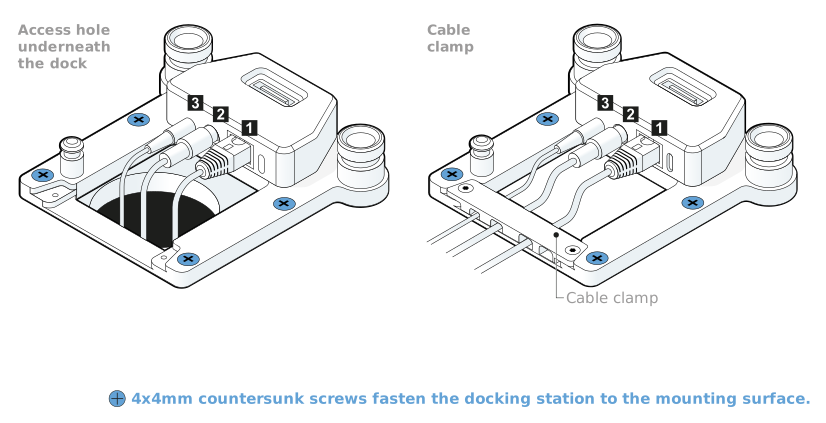
¶ Cable Connections
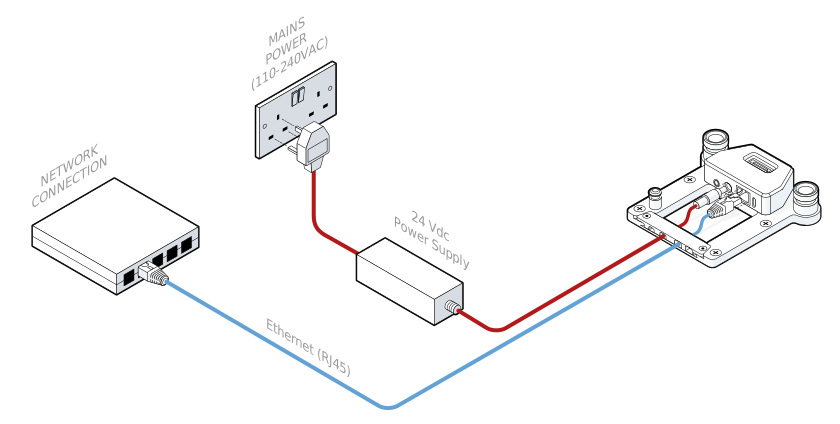
Using your chosen installation method, complete the following steps:
 | If not using Wi-Fi, connect the robot to the internet via a wired ethernet (RJ45) connection. |
 | Connect the 24 Vdc power supply that came with the robot to the robot and to the mains power outlet. |
 | If applicable, connect the 3.5mm Audio in/out audio/microphone cable — see External Audio Devices — Desktop Gen 3. |
¶ Robot Installation
Now that the dock is installed and connected you can install your robot onto the dock with the following steps:
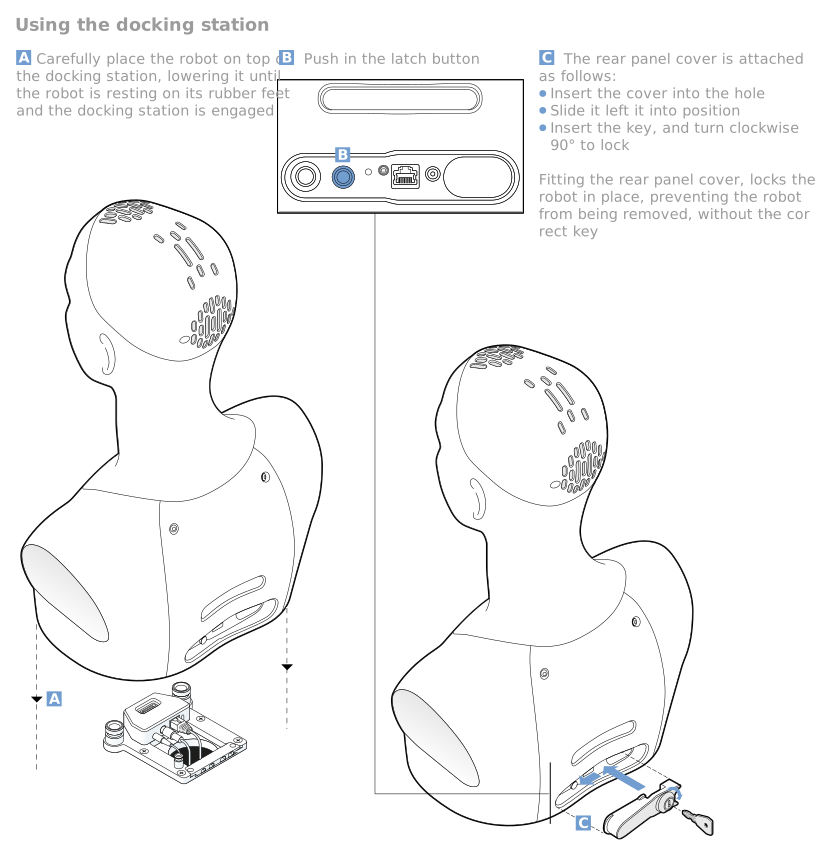
Note that the Rear Panel Cover is supplied with your robot.
¶ Dock Dust Cover Installation
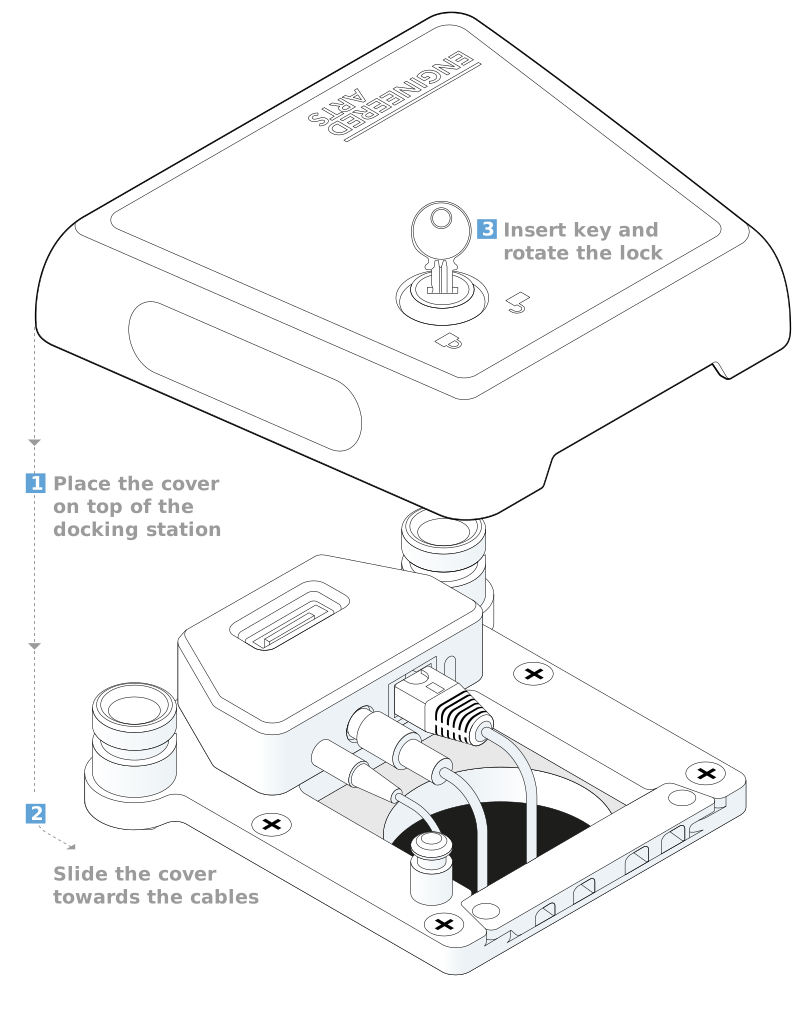
The dock is supplied with a Dust Cover to protect the dock when it does not have a robot installed on it. You can install the cover onto the dock with the following steps:
¶ Further Information
For further information regarding the safe use of your robot refer to the Getting Started page.