¶ Mesmer Desktop Installation and Operating Instructions
Product Code: MD2
¶ Introduction
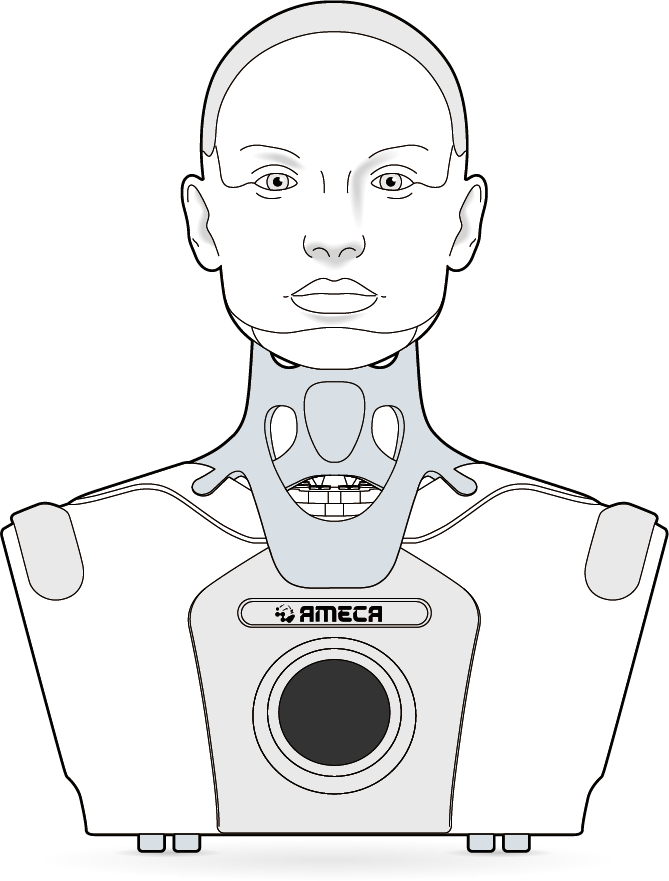
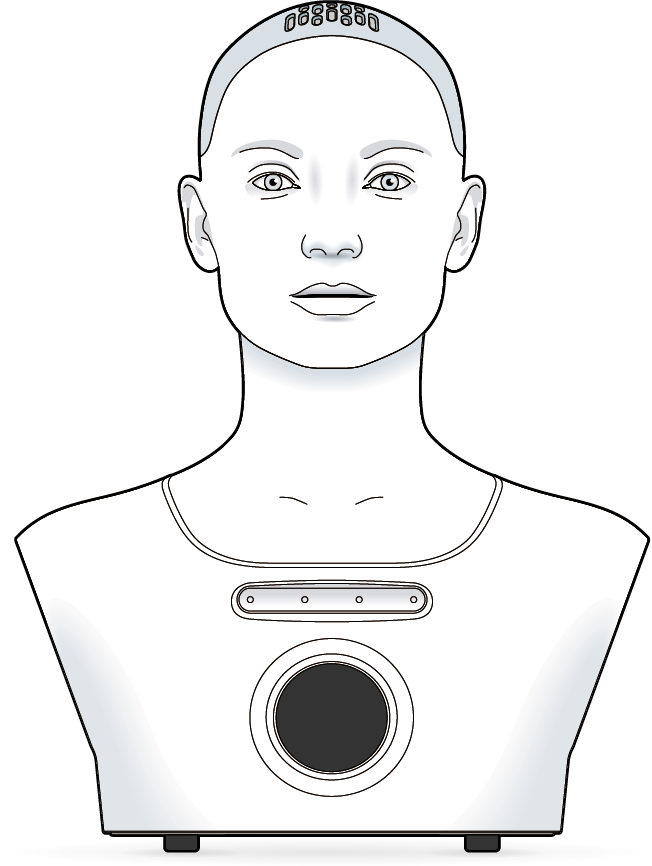
Mesmer Desktop Gen 2 robots (Ameca, Azi and Ami Desktop) are head-and-shoulders, interactive, fully programmable desktop humanoids.
The robots are designed for entertainment, education and research applications. They have 32 degrees of freedom, consisting of 5 in the neck and 27 animating the eyes, lips and other facial features.
The robots include microphones, cameras and a speaker to enable two-way audio-visual interaction.
All Engineered Arts robots are powered by the Tritium software platform.
¶ About this Document
¶ Intended Audience
This document is intended for owners and operators of Engineered Arts Mesmer Desktop robots (Ameca Desktop and Ami Desktop). The manual is an essential part of the robot’s documentation, and all users must fully familiarise themselves with its contents prior to operation. Installation and operation activities must only be undertaken by persons who meet the following criteria:
i) Have read about and fully understood the procedures outlined in this documentation; AND
ii) Are confident and capable of undertaking these activities based on their own skills and experience.
¶ Applicable Models
This user manual applies specifically to Mesmer Desktop robots with the product code MD2 (Ameca Desktop and Ami Desktop).
Since many Engineered Arts Mesmer Desktop robots include customer-specific features or options, some models may exhibit cosmetic differences from the reference images in this document. Furthermore, some models may have variations in the number and/or range of movements compared to the values shown. In these cases, users should disregard non-applicable data. Where additional, customised features have been added to a specific model, separate user documentation is provided for those particular features alongside the relevant Mesmer Desktop robot(s).
¶ Symbols and Markings
The following markings are used throughout the documentation. Users must take special care to read and follow all such instructions.
 | Danger Message Failure to follow instructions endangers the life and health of persons |
 | Warning Message Failure to follow instructions could result in serious injury or risk to life and health to persons |
 | Caution Message Failure to follow instruction may lead to injury to persons |
¶ Safety Instructions
Engineered Arts Mesmer Desktop robots are complex electromechanical machines built to a high standard and in accordance with relevant legislation and best practices. Nevertheless, improper installation or use may lead to hazardous situations.
Therefore, do not attempt to operate this product without fully reading and understanding this user manual.
Additionally, do not attempt to assemble, disassemble, or otherwise modify this product except in accordance with the instructions in this user manual or other instructions provided by Engineered Arts Ltd. Unauthorized assembly, disassembly, or modification may damage the product and void any manufacturer warranty.
| Disconnect from Power Ensure the robot is disconnected from the power supply before attempting to move, maintain or adjust any part of it. |
| Wiring and Circuitry Do not attempt to modify or otherwise interfere with the electrical connections and/or circuitry of the robot. Do not attempt to power the robot from any other source than the manufacturer-supplied power supply. Any such modifications or interference may lead to dangerous situations that endanger the life of operators or other persons in the vicinity of the robot. Such modifications or interference will void any manufacturer warranty for the robot. |
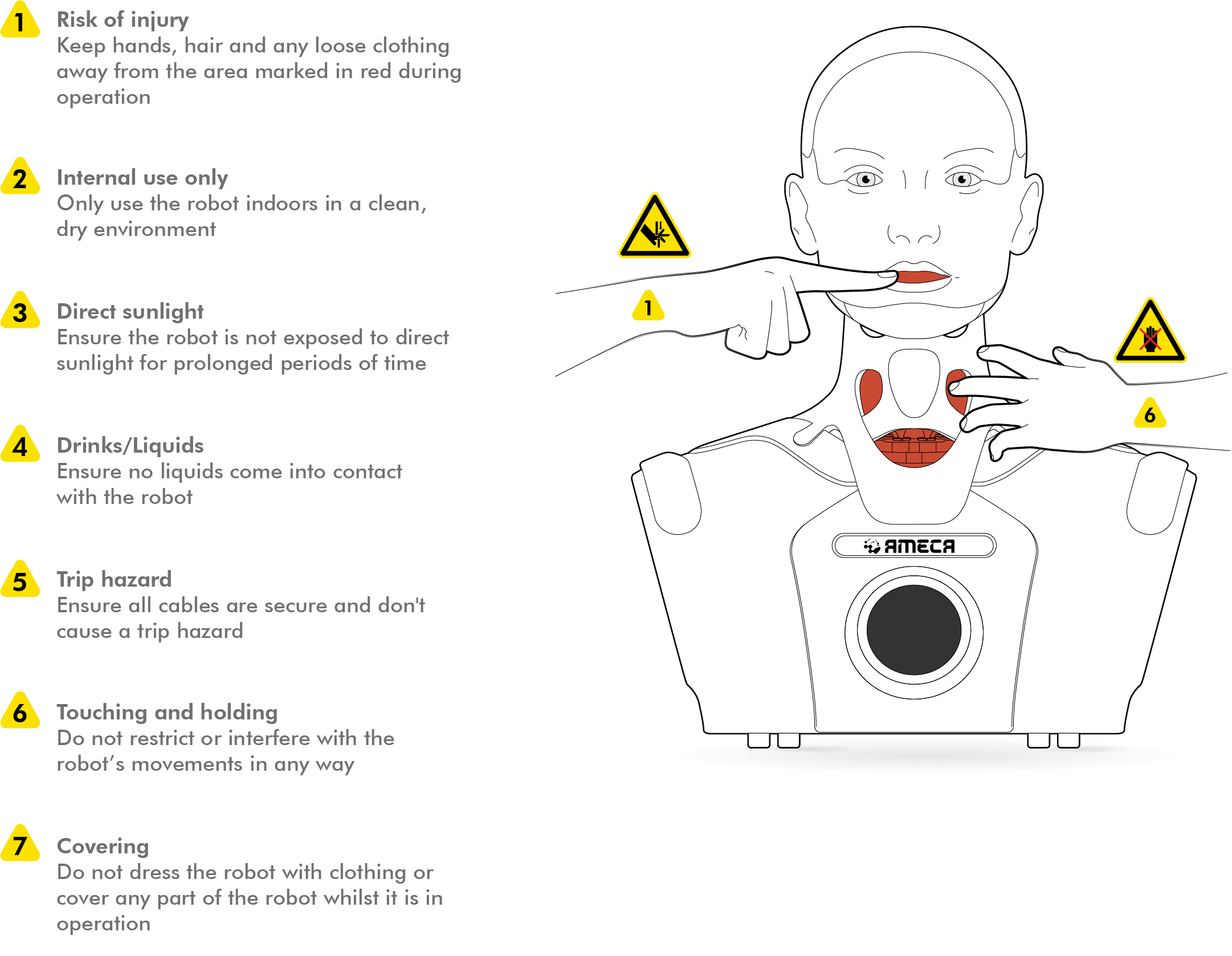
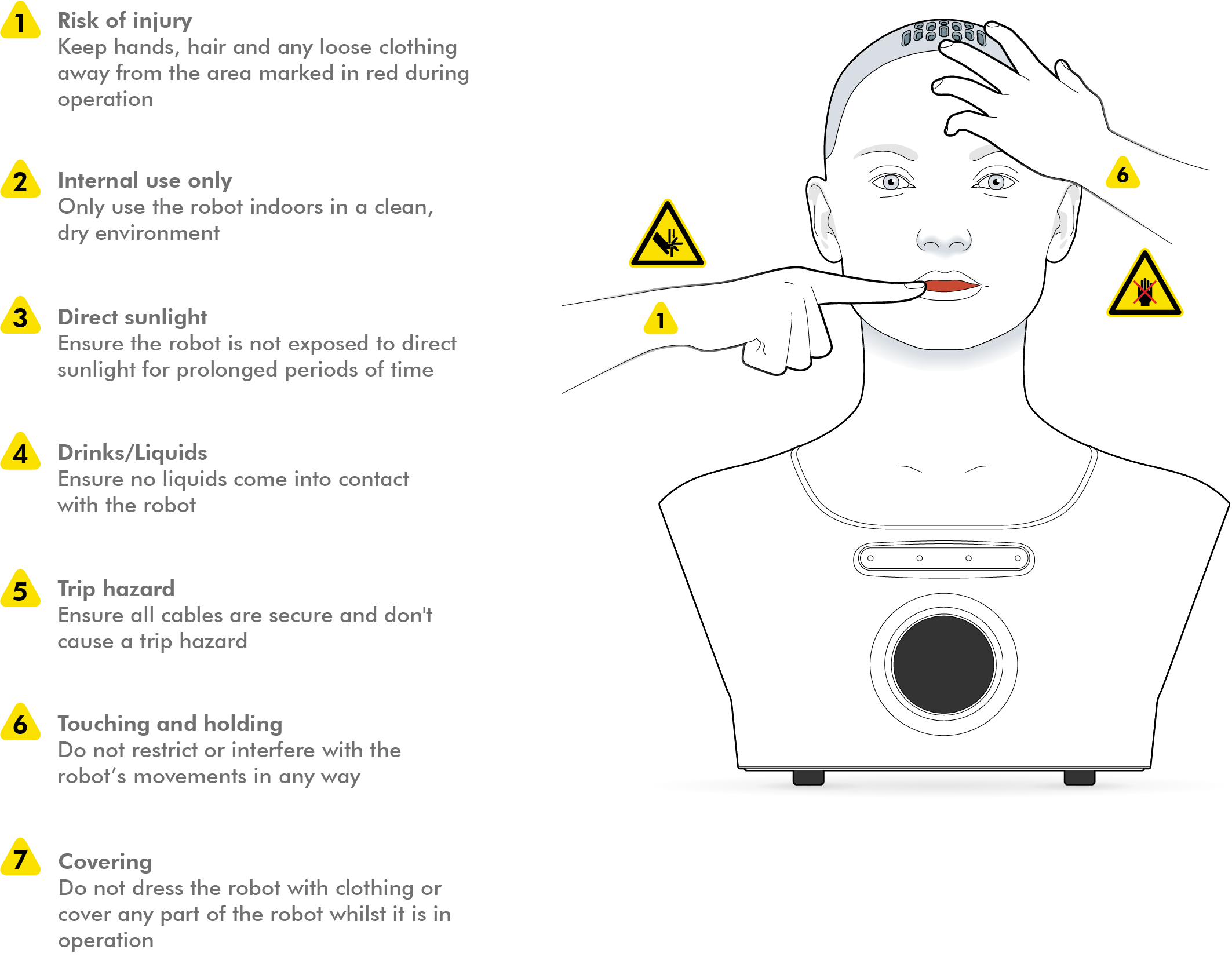
| Finger/hand Pinch Hazard Take great care when touching or working with any of the robot's moving parts. The robot can be manually moved in the unpowered state - there are multiple points where fingers and or hands might be pinched by a mechanism in such an event. Never attempt to touch or work with any of the robot’s moving parts when it is operational or connected to the power supply. |
| Robot Condition Only use the robot if it is in good mechanical and electrical order. Never attempt to install or use a robot that has been subject to damage, including but not limited to: contamination by liquids; contamination by dust / swarf / particulates; mechanical impacts / drops etc.; exposure to extreme temperatures or humidities. If in doubt, always refrain from using the robot and contact the manufacturer for advice. |
¶ Intended Use and Limitations
¶ Intended Use
- the robots are designed for entertainment, education and research applications
- the robots are designed to be installed in a visitor attraction, museum, theatre, retail venue, research laboratory or similar premises, and to be used as an exhibit, attraction or R&D platform at that venue
- as an attraction or exhibit, the robots are designed as installations that users look at, listen to and talk to
- as a research platform, the robots are designed as part of research activities
¶ Limitation of Intended Use
- the robots are not designed for any type of physical interaction, either with human beings, animals or any other physical object, with the exception of manufacturer supplied or approved accessories (e.g. costume)
- the robots are not designed to operate outdoors, in wet environments, in conditions of unusually high or low temperatures or humidities (see also: Operating Environment)
- the robots are not designed for delivering important factual information such as building fire escape directions or medical diagnoses
¶ Operating Environment
The robots are suitable for indoor use only. Recommended environmental conditions:
 | Room temperature: 10-30°C (50-86°F) |
 | Humidity: 45-60% |
The robots must not be used, stored or transported in a wet environment where they may be exposed to leaks, splashes or other sources of liquid contamination (e.g. near swimming facilities, ornamental water features etc.).
The robots must not be used, stored or transported in an excessively dusty environment where they may be exposed to particulate contamination (e.g. machine workshops, construction environments etc.).
The robots must not be operated in an explosive atmosphere.
¶ Mesmer Desktop Specifications
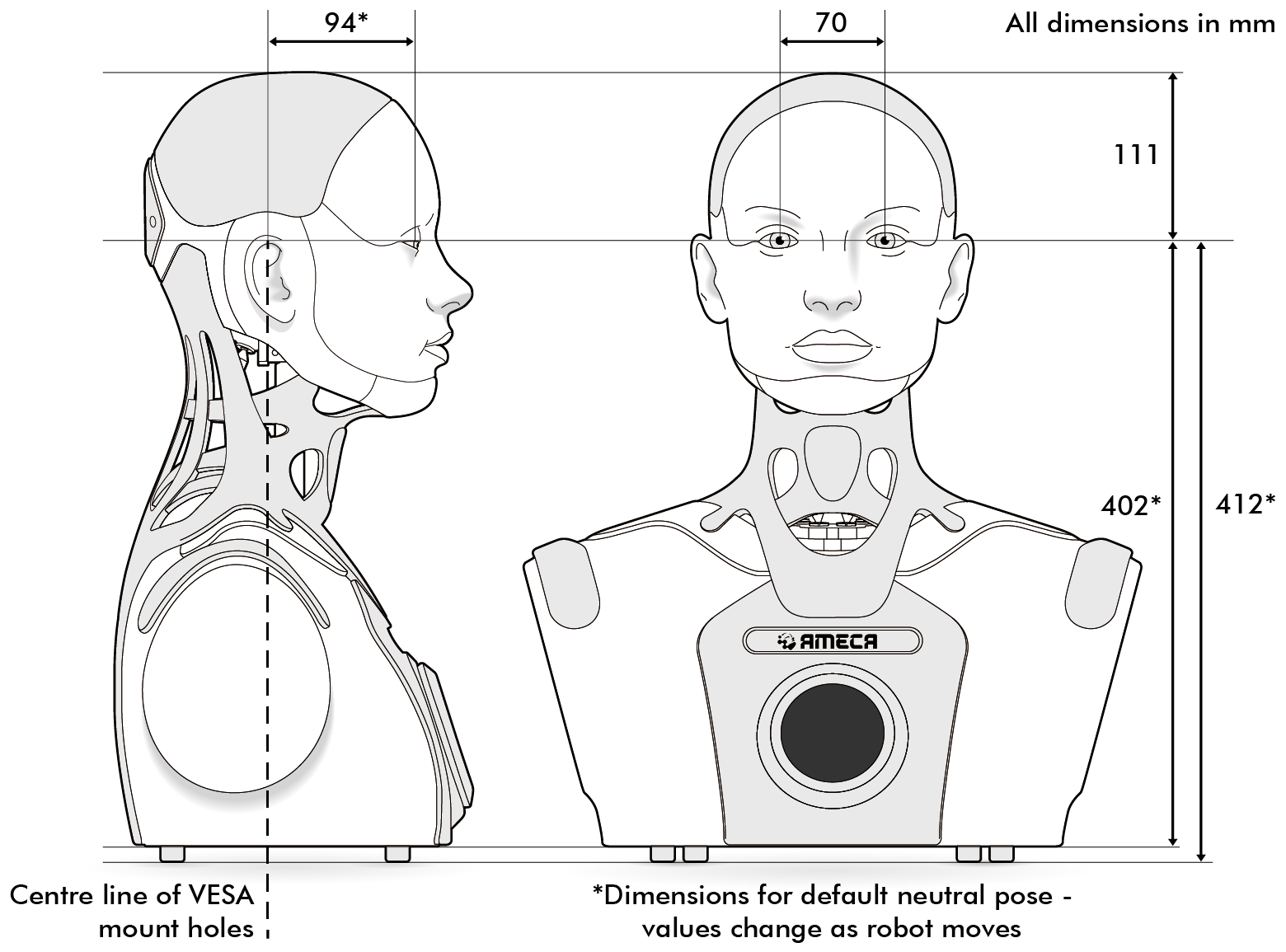
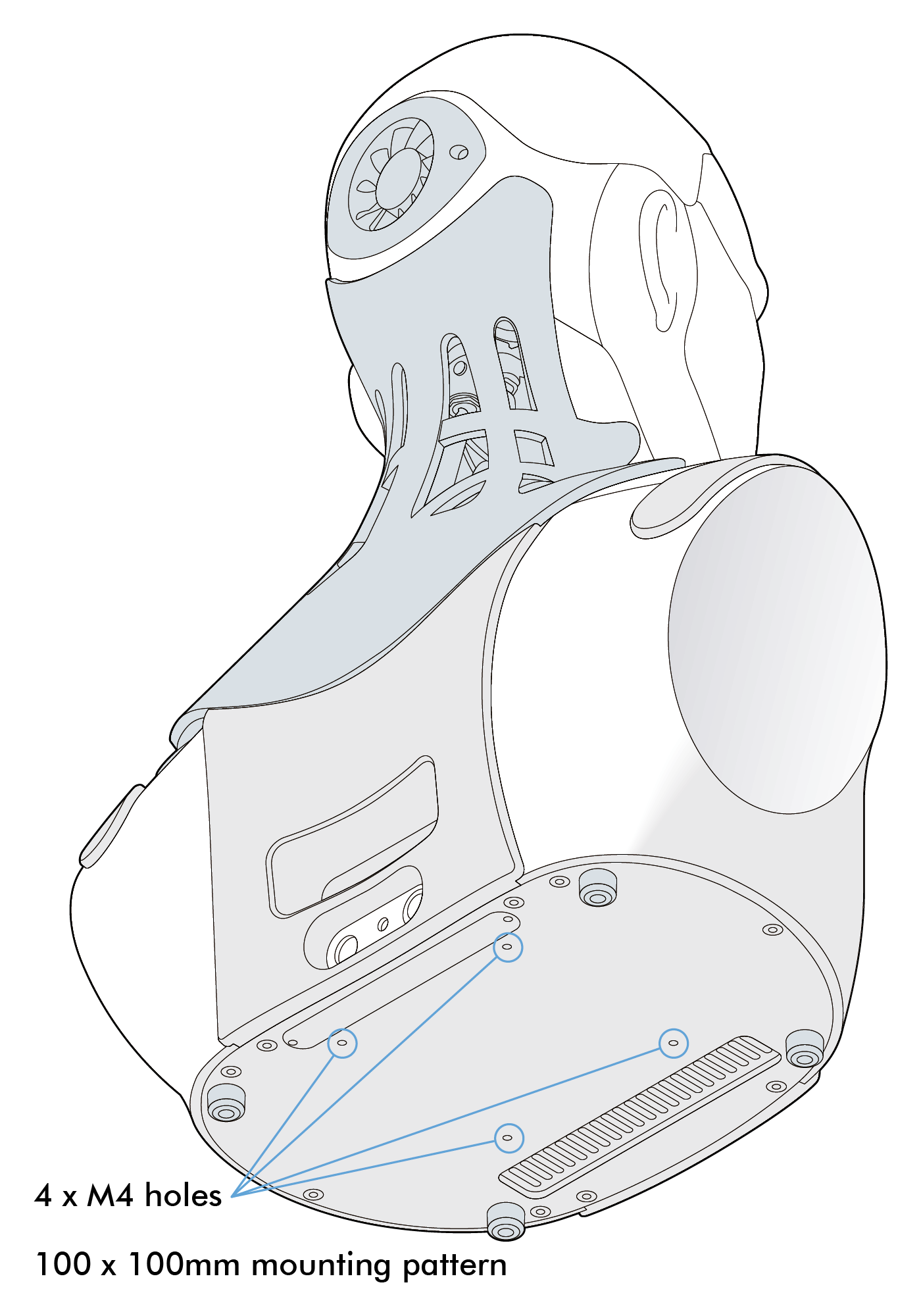
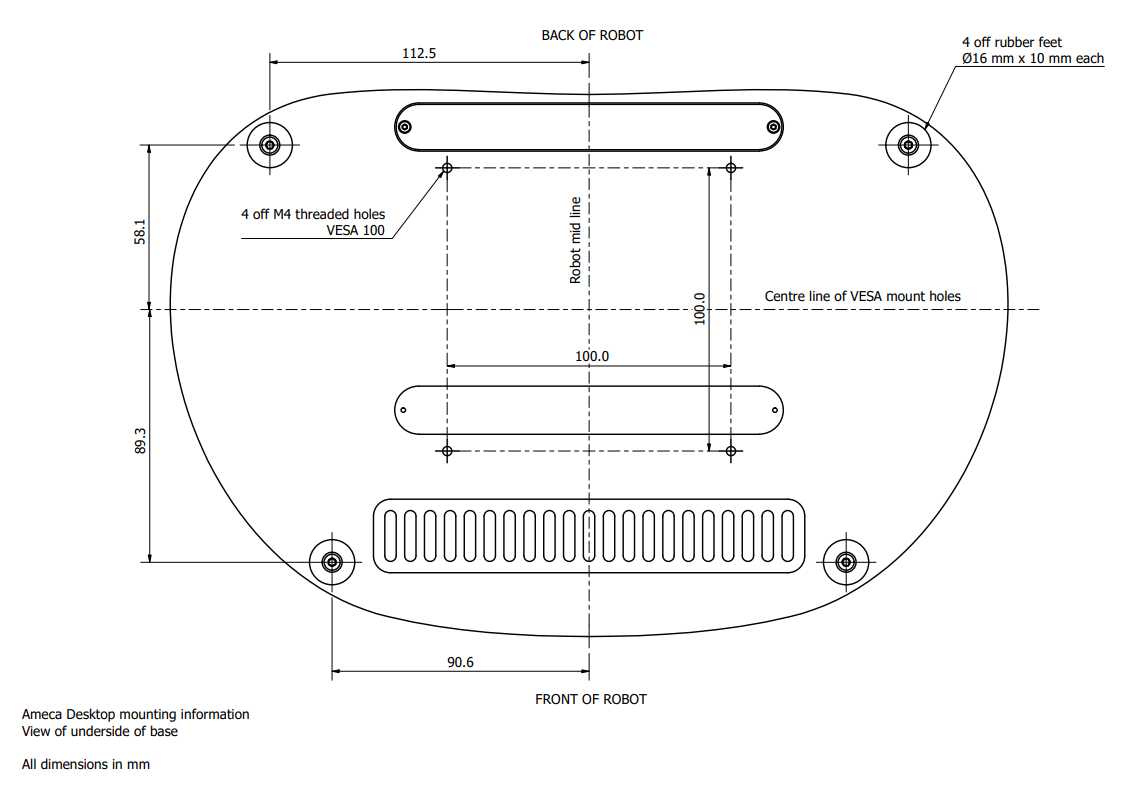
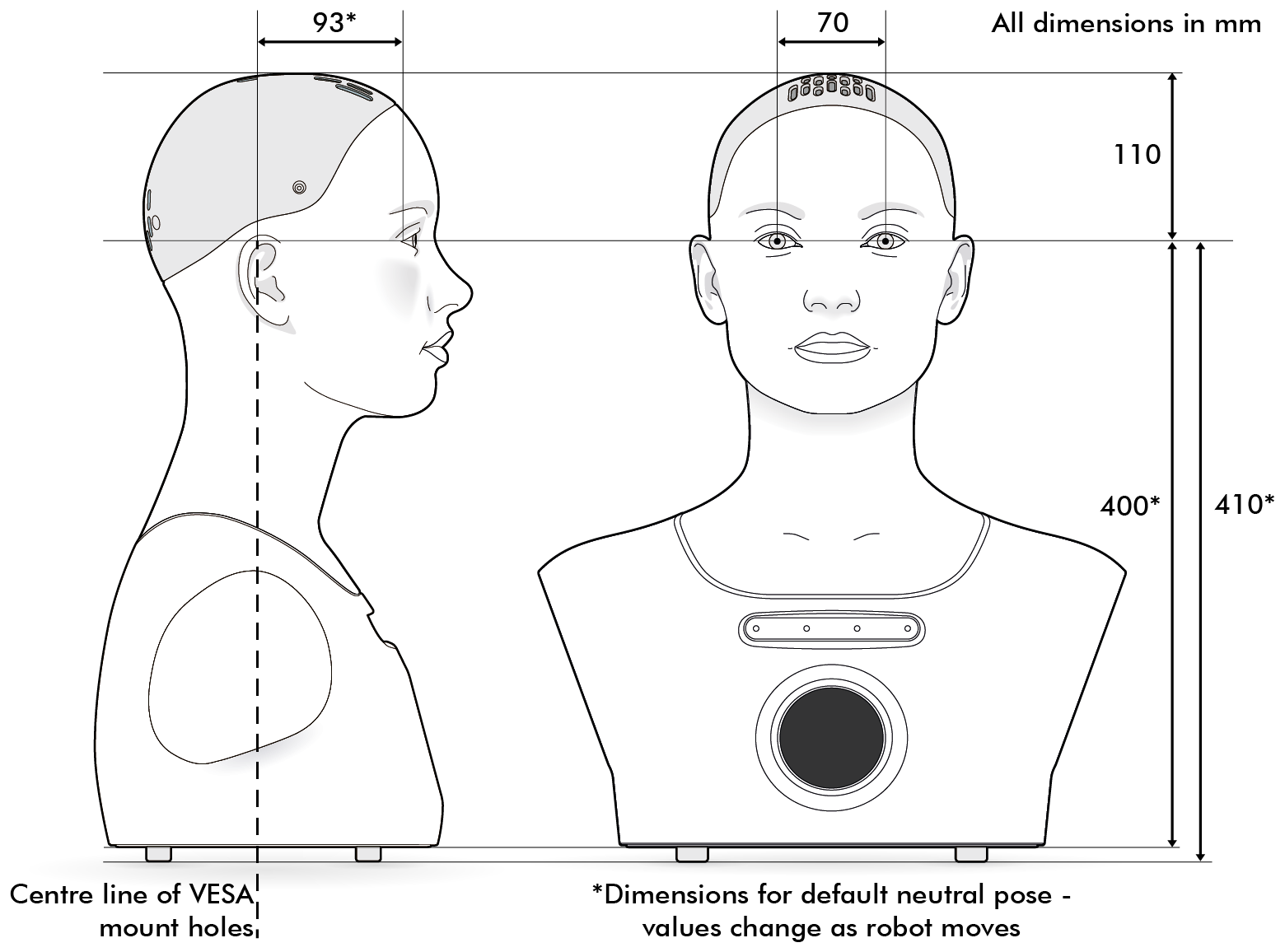
¶ Installation
¶ Unboxing
| Lifting and Handling The robot weighs approximately 8 kg. Take care and follow good manual handling practices while lifting and moving. |
| Lifting and Handling The robot is an intricate and delicate product. Take care to avoid harsh handling, knocks and drops. Careless handling may damage the product. |
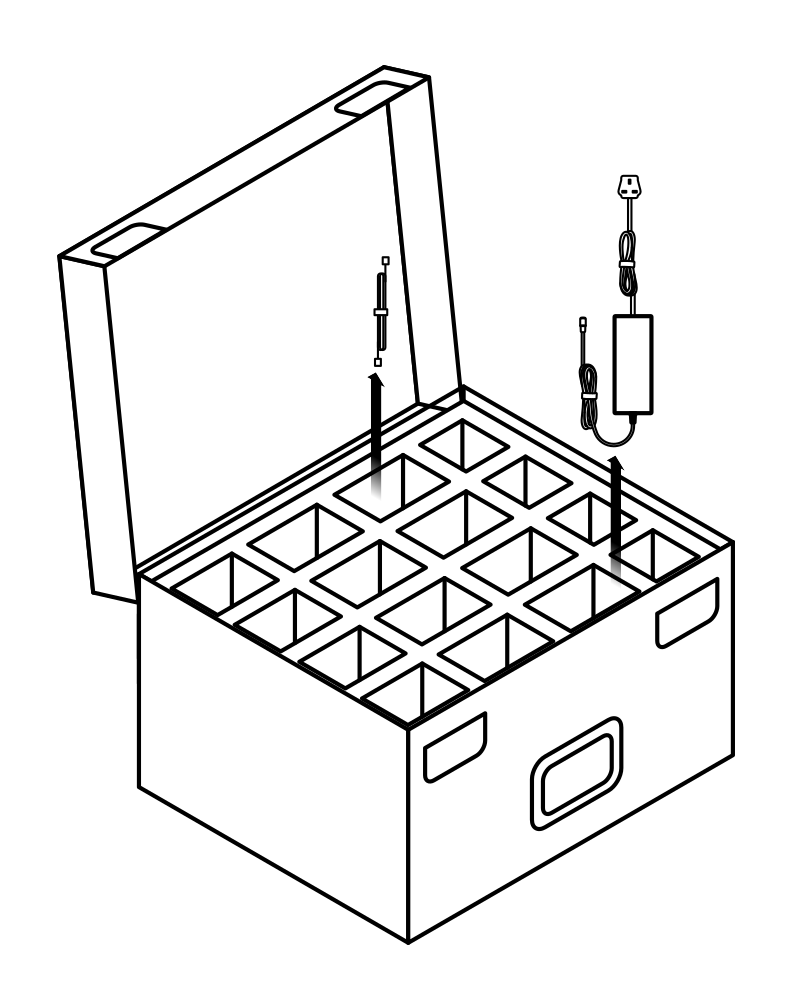
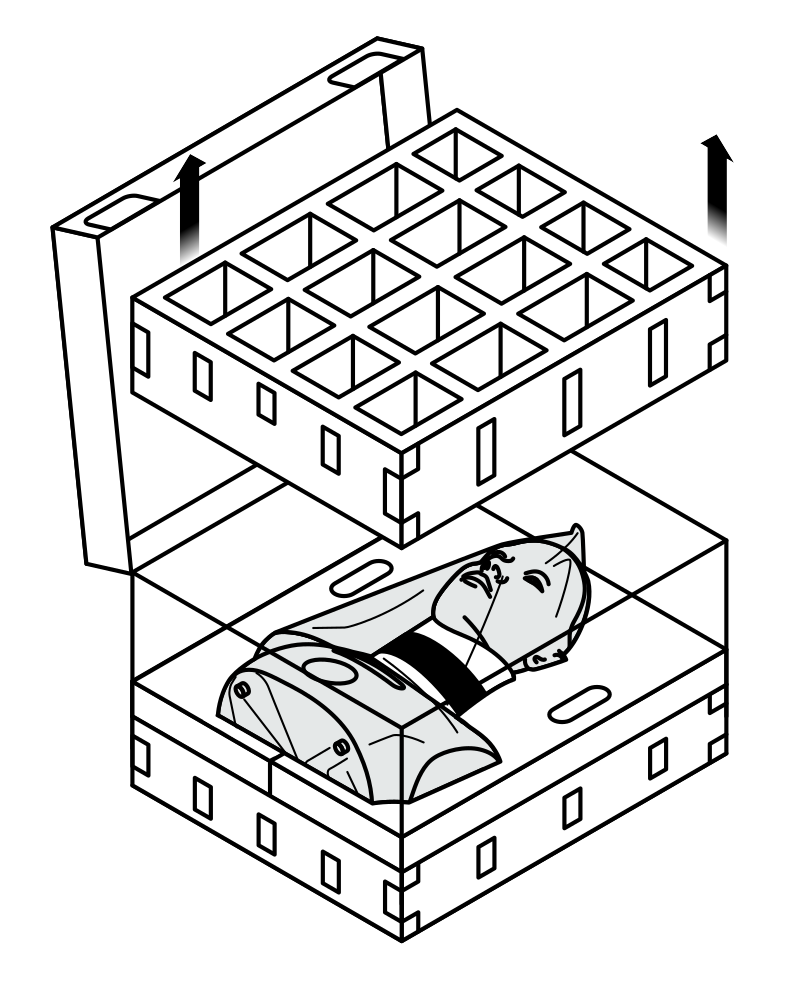
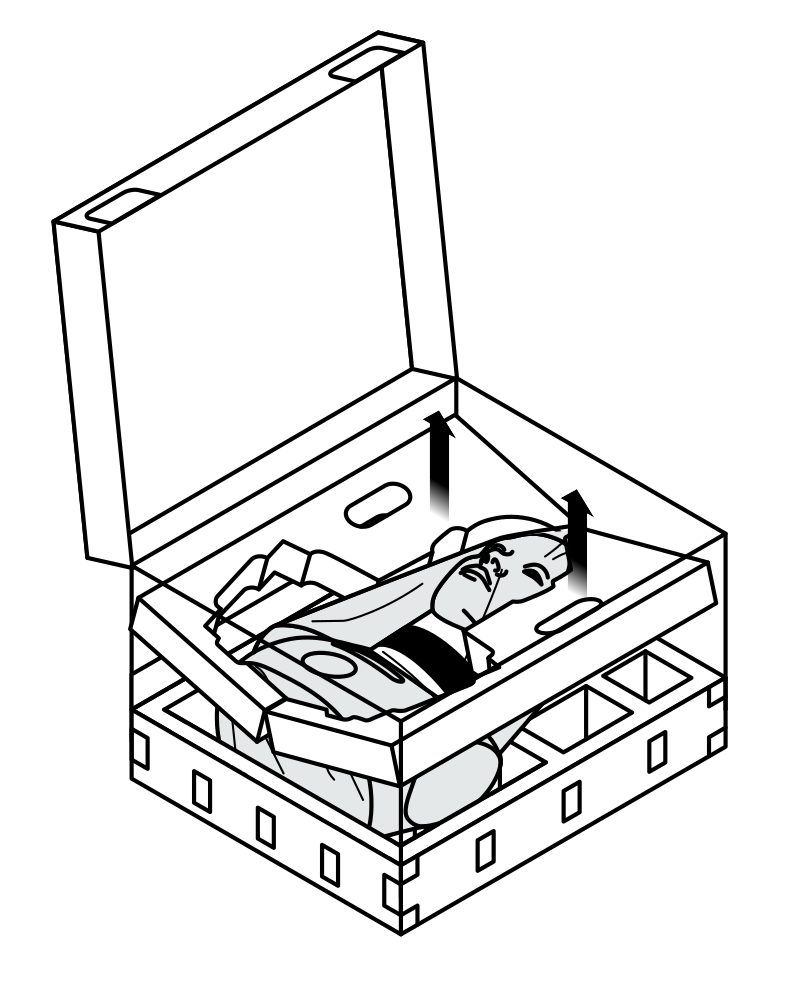
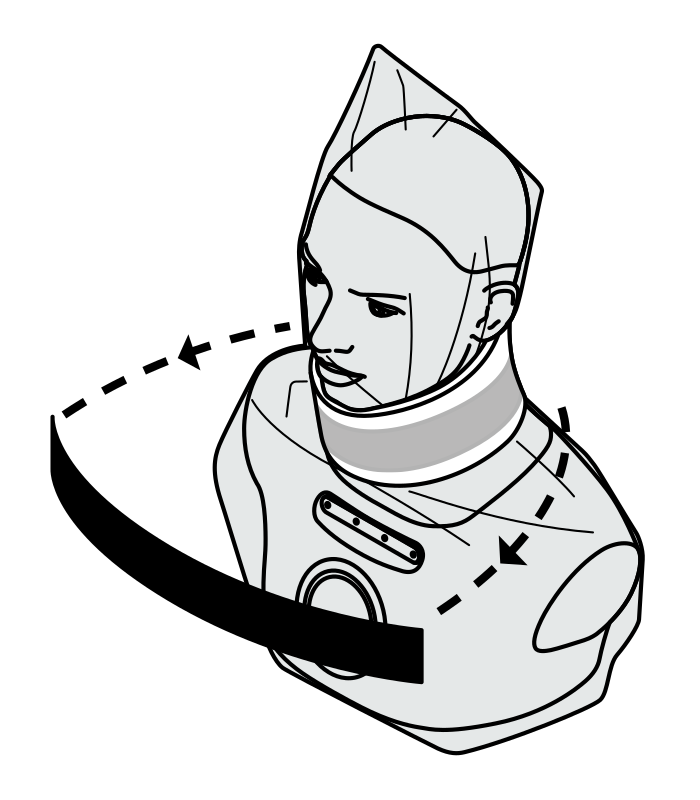
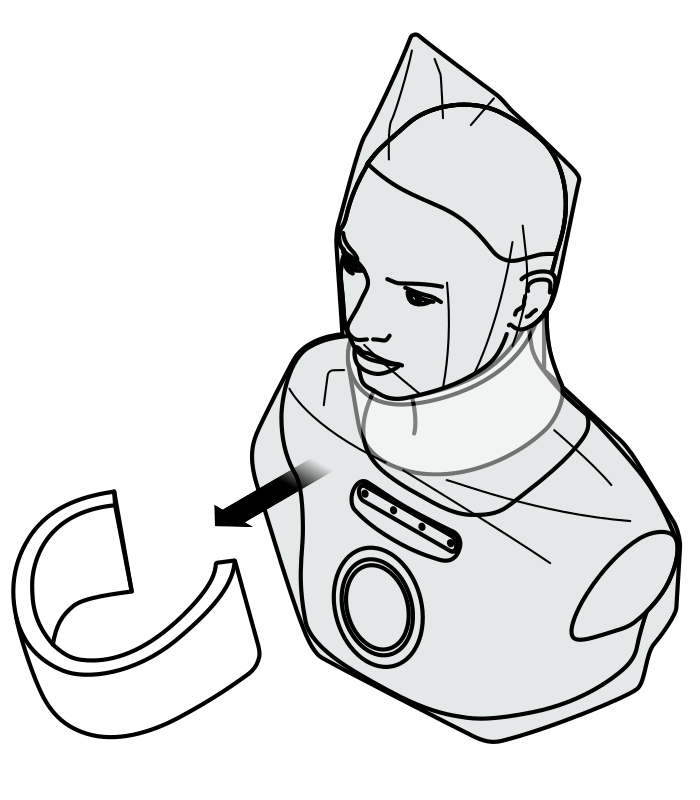
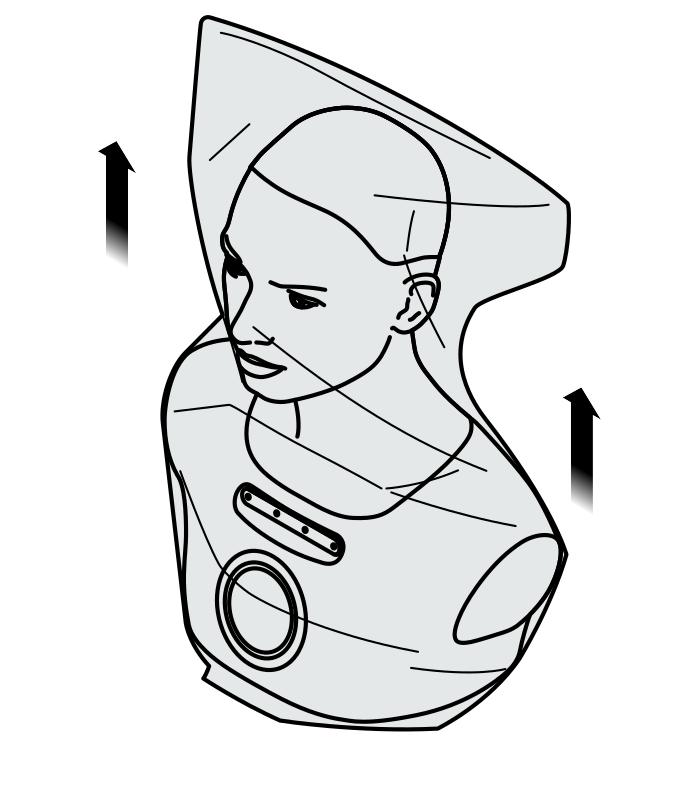
In the event that you need to repack your robot into the shipping box, for example for moving to a different site or return to manufacturer, follow these steps to pack it safely and avoid damage in transit.
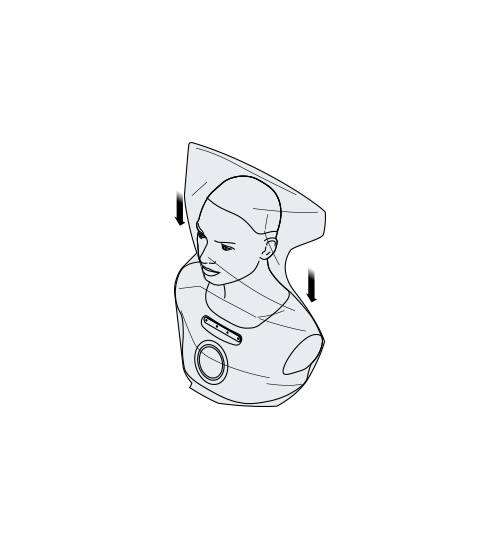
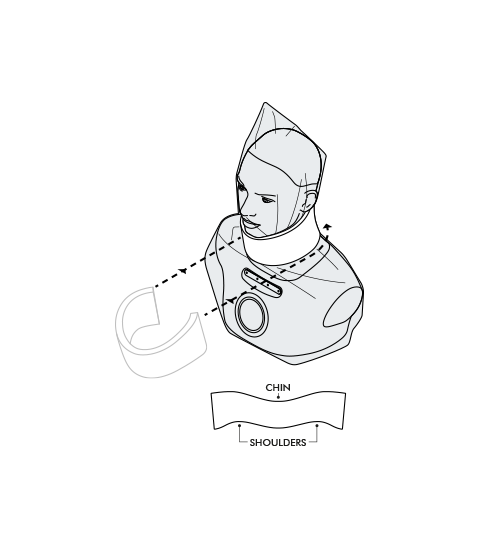
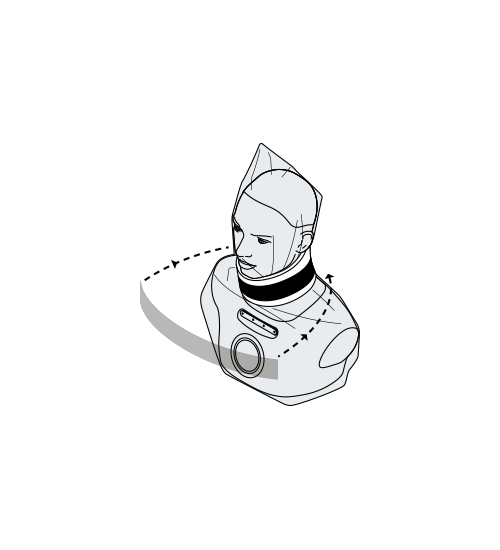
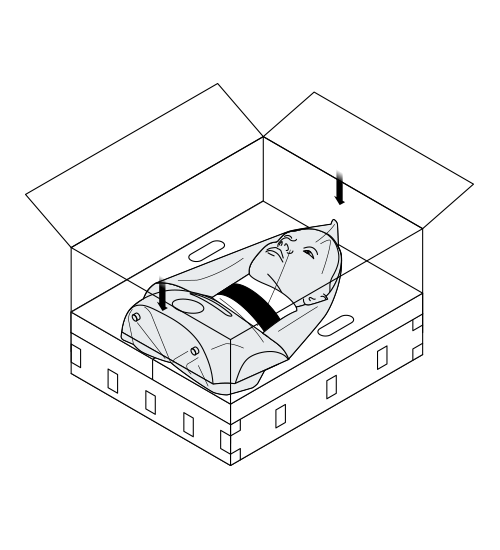
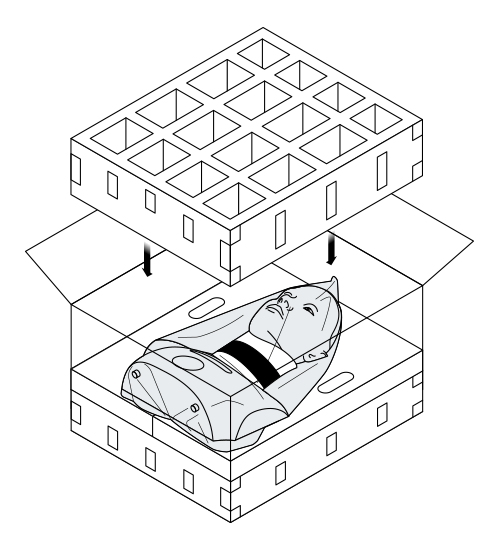
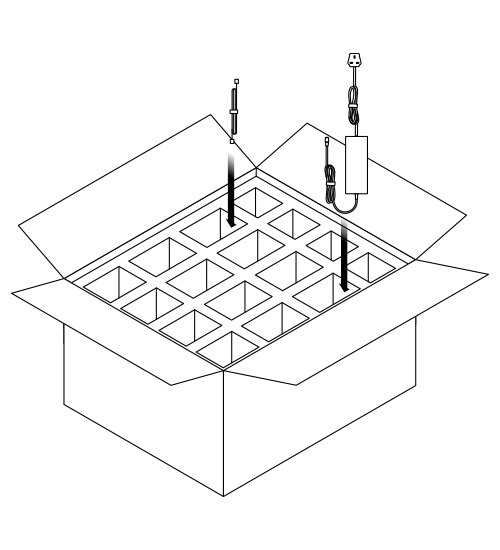
¶ Setup and mounting
- the robot must be positioned on a flat, level surface
- keep away from edges where the robot is vulnerable to being knocked off
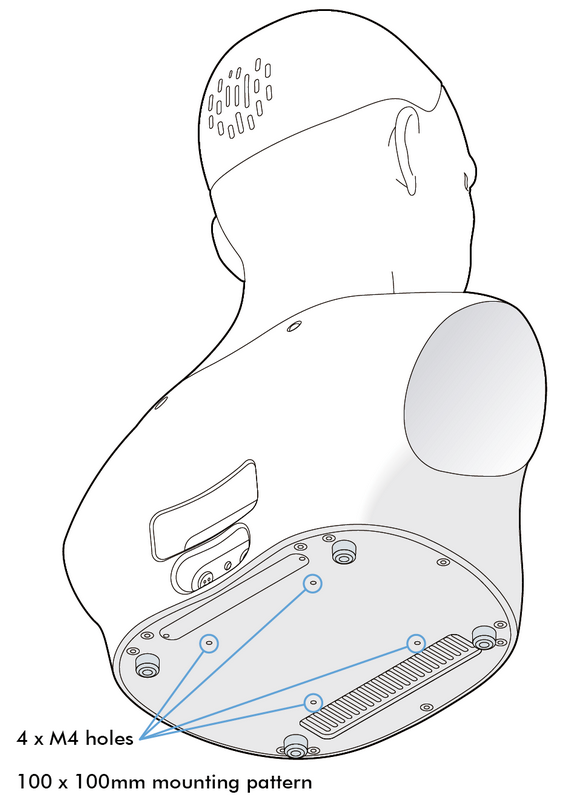
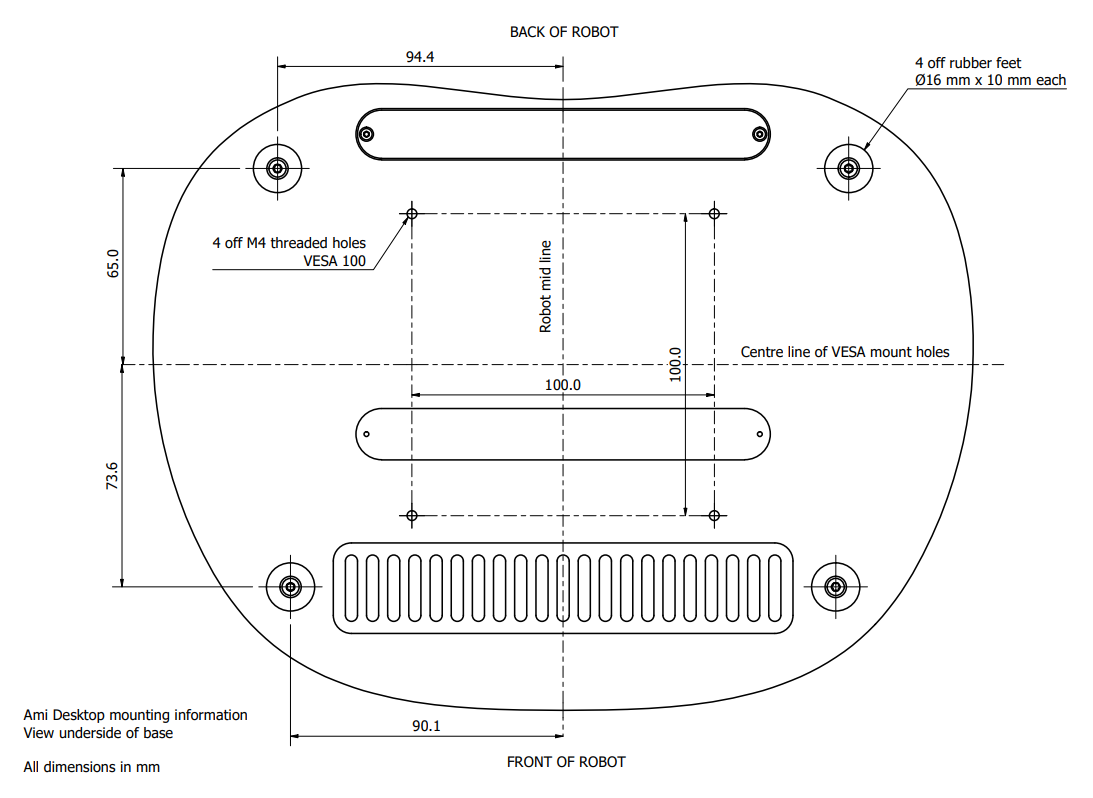
- optionally, the robot may be secured in place via four M4 screws, arranged in a VESA 100 pattern
See Mesmer Desktop Specifications for model-specific dimensions and base mounting details.
¶ Cable connections
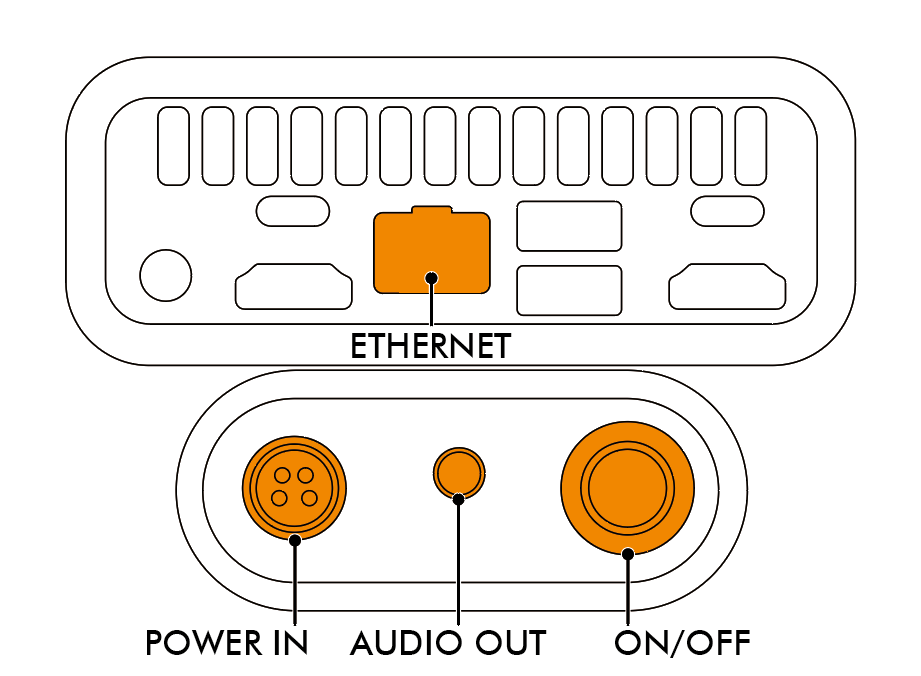
| Power Supply Caution Always use the manufacturer-supplied power supply. Do not attempt to power the robot from any other source. |
- connect the 24 Vdc power supply to the robot and the to mains power outlet
- connect the robot to the internet via a wired ethernet (RJ45) connection
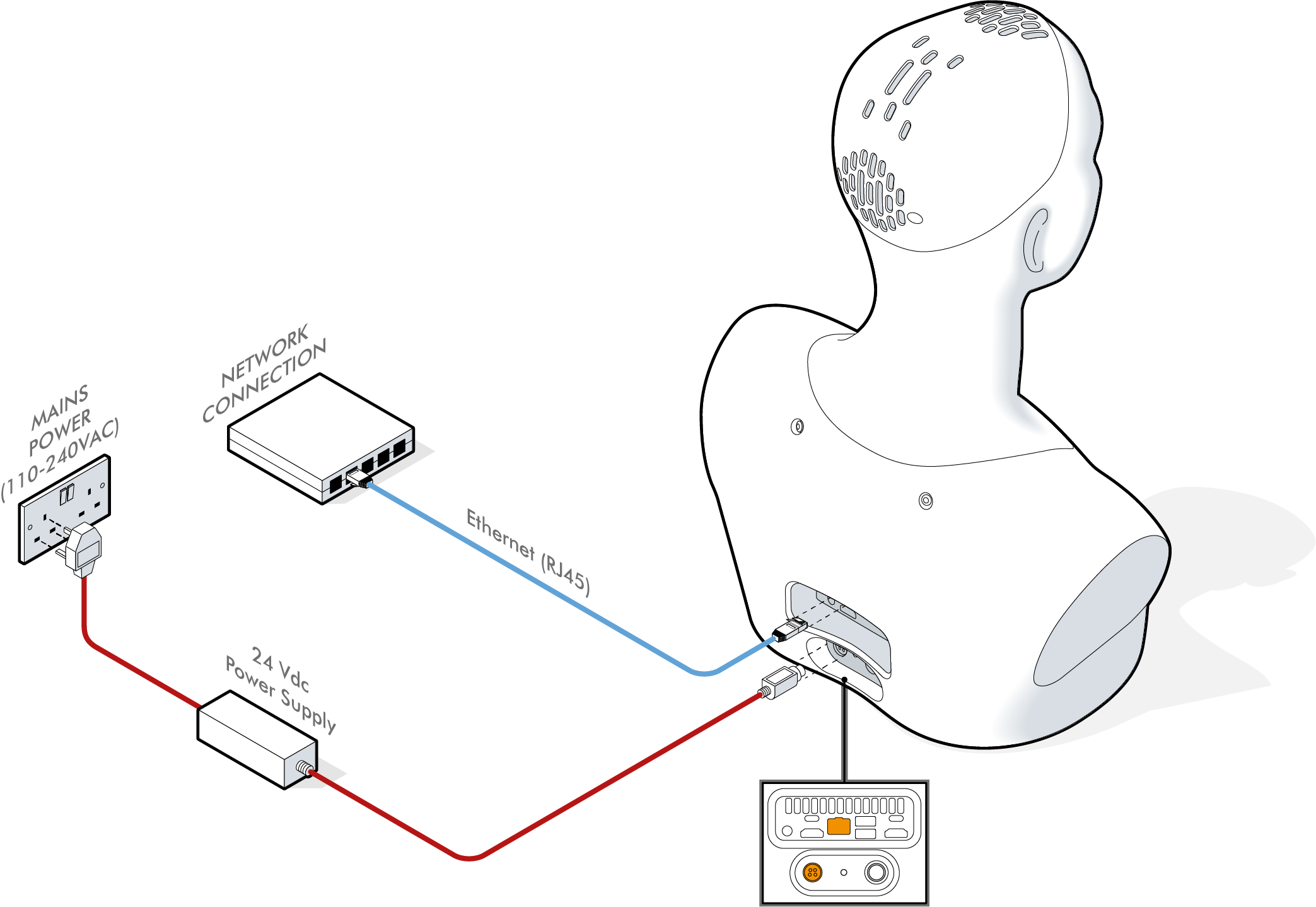
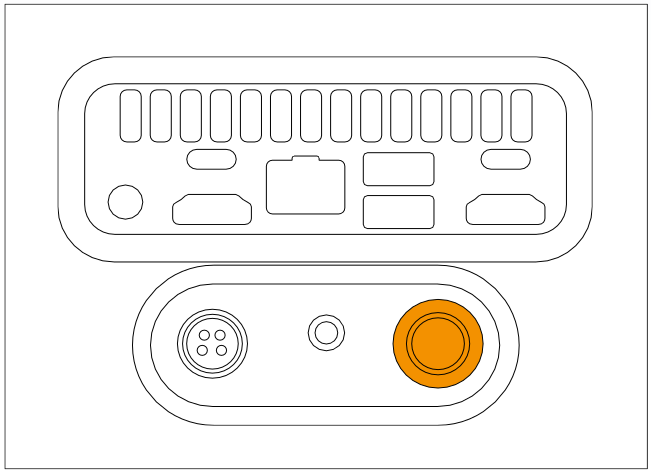
¶ Powering On and Off
¶ Powering On
- use the push button to power the robot on
- the robot will take approximately a minute to start up
- during startup, the robot will perform an automatic self-calibration routine
- the robot will move its degrees of freedom during self-calibration
- do not touch or interfere with the robot during startup
¶ Powering Off
- short press the push button (with blue LED) to start the robot shutdown sequece
- do not hold the button down as this will cut power after 10 seconds
- shutdown can take up to a minute
- when the shutdown is complete, the blue LED will go out
¶ Operating Instructions
The robot is operated using Engineered Arts Tritium software platform. The Tritium user interface is 100% web based, and can be accessed from any internet-connected computer without any installation on your local machine.
To get connected to your robot and start exploring its functionality, see the Getting Started page.
¶ Degrees of Freedom
The robot has a total of 32 actuated degrees of freedom.
The robot is build up from a number of modules. Please see the individual module pages for documentation of how that modules moves and is controlled.
Your Mesmer Desktop Gen 2 robot includes the following modules:
Brow Module v3 - motion of the eyebrows and nose
Eye Module v4 - motion of the eyeballs and eyelids
Lip Module v2 - motion of the jaw and lips
Neck Module v6 - overall head and neck motion
¶ Head LEDs
Learn what each LED colour on your robot signifies, from operational and interaction modes to alerts here.
¶ Expressions
Your Desktop robot is equipped with a range of expressions.
See expressions for more details.
¶ Care and Maintenance
See Care and Maintenance.